


GTO Lab is an online platform for working on your tournament game. It features a large library of postflop solutions, an advanced preflop ICM trainer, dozens of training videos from renowned regulars, and three separate MTT courses.
We put all the GTO Lab features to the test: we worked with the solver, compared strategies for different stacks at final tables, tested the ICM simulator, and even spoke with customer support.
We're also offering a limited-time 10% off promotion on GTO Lab, plus support with setting up and using the software.
Let's get into our review.
Create a GTO Lab Account
Registering on the website is simple:
- Enter your email address
- Create a password
- Follow the link in the email to activate your personal account
Alternatively, log in to GTO Lab using your Google account. We recommend checking the "Remember me" box so you don't have to enter your password each time.
Tournament ICM
The GTO Lab ICM trainer allows you to practice preflop at a full table for every position. There are no alternatives on the market for this scope.
Getting started with this section is easy:
- Select how many players remain in the tournament. By default, 150 players make it into the money. The minimum number of players you can choose is two tables, and the maximum is 300.
- Enter the stack sizes for the desired positions. For accurate calculations, we recommend limiting the stack size to two or three. You don't have to specify the exact stack size; for efficiency, simply mark the "short stack" or "chip leader."
- We indicate the values of the average stack at the table in big blinds.
After this, only those decisions that meet the specified parameters will remain in the matrix on the left. The simulator offers a total of 2,764 options, and you can sort by the stack size of each position and the average stack. All decisions are offered by default with a standard ante of 1 and fixed payouts.
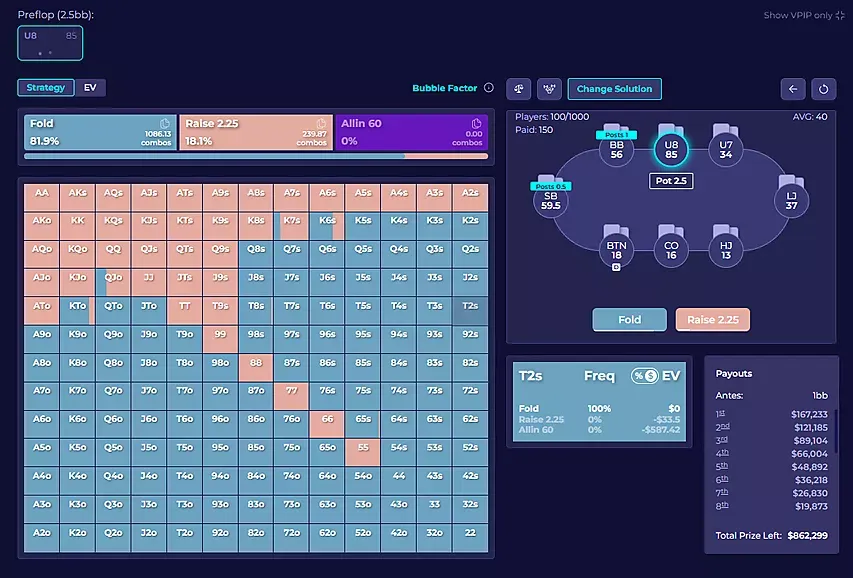
The engine simulates the actions at each position, and the next player's range is displayed on the left side of the app. The matrix is shown in two versions: with only the frequency of actions and with their profitability by EV. Clicking the bubble factor checkbox opens a table with the risk premium.
Once the hand is complete, you can replay it, return to the desired position, or choose a solution for other stacks.
Final Table ICM
The solver also allows you to practice final tables; 12,854 solutions are pre-calculated. Filters are configured in the same way as in standard ICM. You can also choose how many players remain at the table—from 3-max to full ring.
The filters offer three payout structures: hybrid, online, and live:
- Online payout structures are suitable for tournaments in rooms with high AFS, low ABI, and small payout variations at the final table, with a standard 0.12bb ante.
- Live payout structures are suitable for simulating and practicing final tables of major live tournaments, where the majority of the prize pool goes to the winner and the big blind pays the ante.
- Hybrid payout structures are suitable for MTTs with more flexible structures.
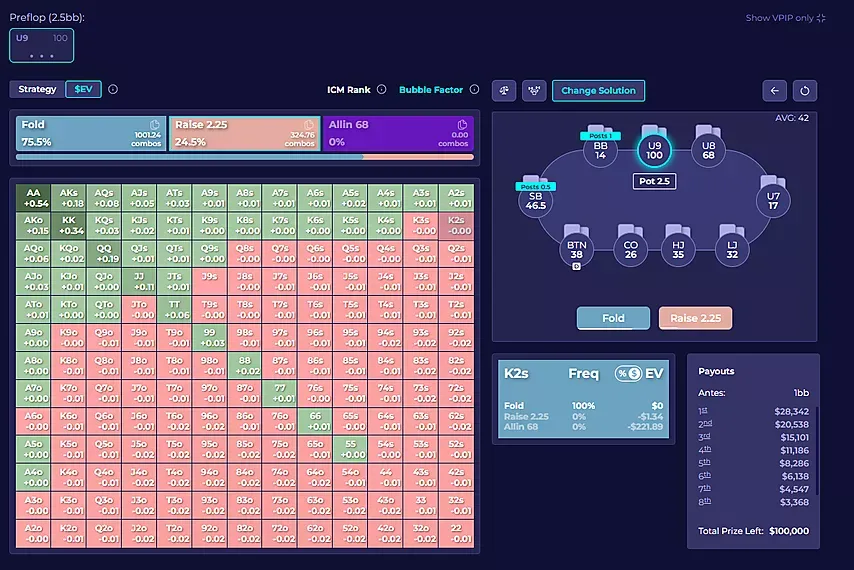
The simulation clearly shows how ranges in the ChipEV environment change based on ICM pressure. As in the section calculating standard ICM, the adjacent tabs display the risk premium and payout structure.
Otherwise, everything is the same as in MTT ICM—with a single click, you can change decisions and select different actions for any position. You can also examine each simulation in more detail. For this, there are two buttons to choose from: Practice and Compare.
Practice Different Situations
For now, this section only offers a full-table mode, where you can play any position. Soon, the developers will add Drill Mode—a classic training mode similar to most modern GTO simulators.
For now, you can practice three spots at once:
- Final Table: First, choose a setup. A standard simulation starts immediately, while a custom setup allows you to select custom settings as in the ICM analysis. The proposed setup also includes an ante structure: 0.12bb for 3-5-max and 1bb for 6-9-max, or you can choose a mixed structure.
- ICM: The number of people left in the game ranges from 300 to 12. The default prize pool is 150.
- Chip EV: Here you can choose equal or unequal stack distribution, or distribution across all stacks for more productive execution of specific scenarios.
Before starting your training session, we recommend setting up filters. If you're still far from perfect ICM or Chip EV play, you can display winning strategies on the screen before your turn. You can toggle this option later or simply deactivate it.
Another setting is called Smart Hands. Experienced players can disable it: this will reduce the number of 100% fold hands in the simulation and increase marginal decisions, making training more productive.
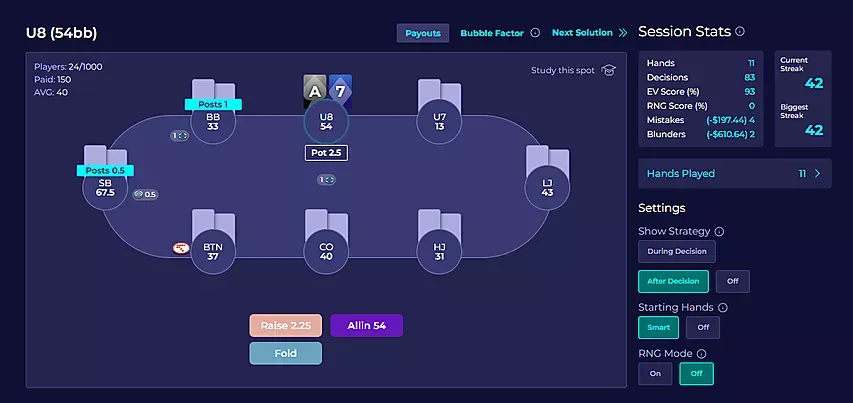
You can also enable RNG Mode. This will cause a random number to appear on the table, and the solver will evaluate the correctness of your action based on its frequency. For example, if your mixed strategy involves 15% folding and 85% raising, and you choose to fold and the number rolled is 16 or higher, your action will be considered a mistake.
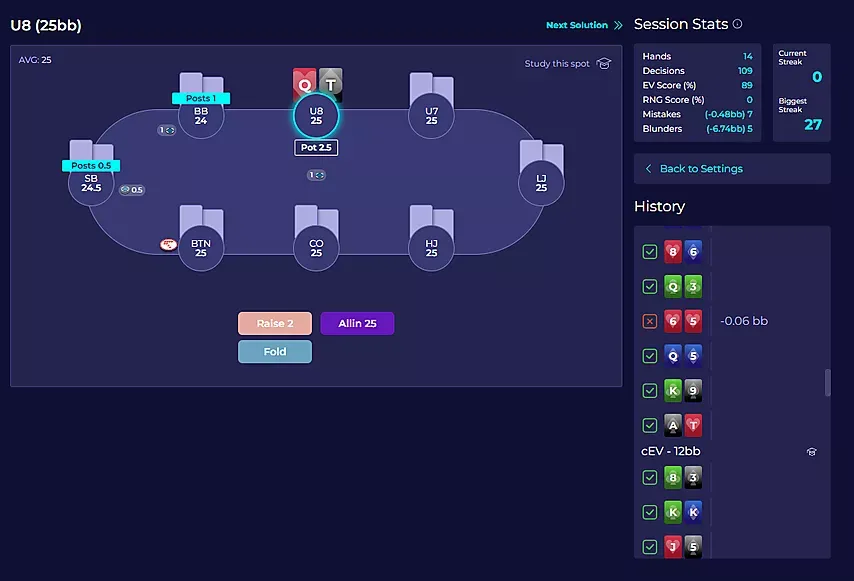
Played hands are saved in the history. Another plus: sessions can be saved in the settings, and a new training session will start with the preset settings.
Compare Different Strategies
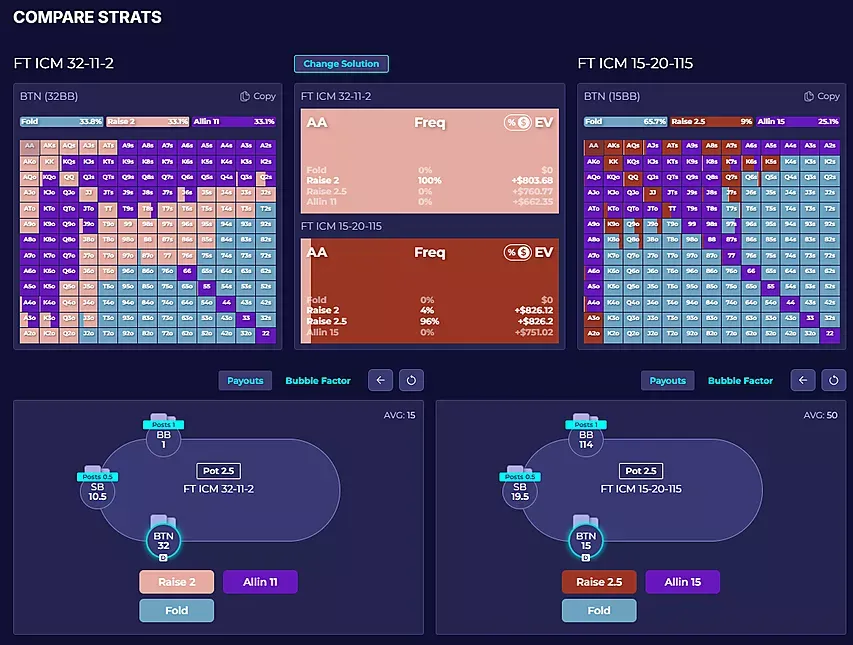
The principle is similar to the training mode. First, you select the format, final table, ICM, or Chip EV, after which you can compare strategies up to different stack sizes.
For example, if we want to see how the strategy changes depending on the BB stack at a 3-max final table—the shortest or the chip leader—we select the appropriate filters in the matrix and click Compare.
The default ranges are displayed before the hero action, these settings cannot be changed.
Lessons From Top MTT Regulars
GTO Lab has two sections with training videos, unlocked with a one-time purchase of the pro version.
Individual training courses are also available. Currently, the website offers:
- 26 Days with Nick Petrangelo: Videos with practical exercises to practice important preflop and postflop concepts like 3-betting, continuation betting, and deep and short stack play.
- Tournament Savagery: Nick and Daniel Dvoress explain how ICM influences player performance at all stages of a tournament, not just at the final table.
- Mastering Multi-Way Pots by Ike Haxton: A seven-hour course covering common mistakes in multi-way pots. The course is built on a system of frameworks. Essentially, Haxton covers all situations where equity and ranges change compared to heads-up pots.
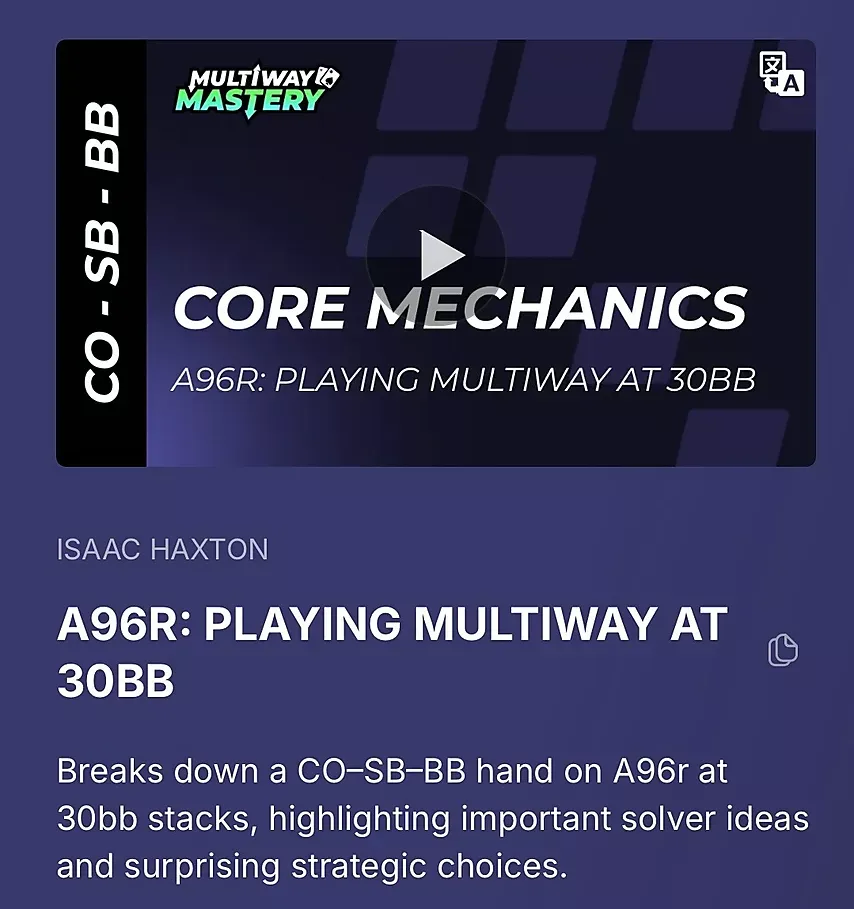
The videos run in an internal player, and there were no complaints about the video quality or loading speed. Subtitles are available for every video.
The site also features individual videos, which you can sort by topic or coach. The selection is wide, including topics on BB defense, ICM, knockouts, postflop, and online play.
The speakers are equally high-quality: you can watch videos from Alex Kulev, Leon Sturm, Jonathan Jaffe, and other top regs.
GTO Lab Support
You can contact support through the dialog box on the solver website or by email at support@gtolab.com. The staff responds promptly; the wait time for any inquiries was no more than five minutes.
During the process, we discovered another advantage of the local support service: you can write a message in any language, and the staff will quickly translate and respond by email or chat.
Subscription Options
After registering, you can choose the free mode. However, you won't have much freedom—only one ICM solution and three hands are available per day in training mode. We recommend choosing one of the paid subscriptions:
- Tools: All tools (excluding videos) cost $74 (per month) for an annual subscription or $89 for a monthly subscription.
- Pro: Tools, videos, and courses included. Costs $149 per month or $129 per year.
Get a great deal on GTO Lab with GipsyTeam: Our readers can enjoy an exclusive discount until May 22: 10% off all subscription versions and 10% off select regular courses with promo code GIPSY. We accept several payment methods and can assist with registration.


