


In late spring, the GTO Wizard developers added the ability to analyze classic Omaha hands. A new training mode, customizable macros, and a solution library were available from the very beginning.

Over the next few months, updates were released regularly, and functionality expanded significantly.
We'll explain what changed.
- HU Solver: Fully customizable heads-up strategies from preflop to river are now available.
- Nodelocks: A convenient way to simulate opponents' mistakes and then exploit them has appeared.
- Postflop ICM: Tournament solutions with customizable prize pools, stacks, and bounty structures.
- Advanced Training Mode: Preflop Matrix, Breakdown Tab, Improved Filters and Subcategories.
- Simulator: multi-tabling, drills, info panel, visual statistics.
- Engine: Faster and more accurate decisions in all modes.
- Solutions: Expanding the preflop library for cash and MTT.
Preflop Solver For Heads-Up
Due to numerous requests from Omaha players in the GTO Wizard Discord community, preflop solvers for heads-up pots have been added.
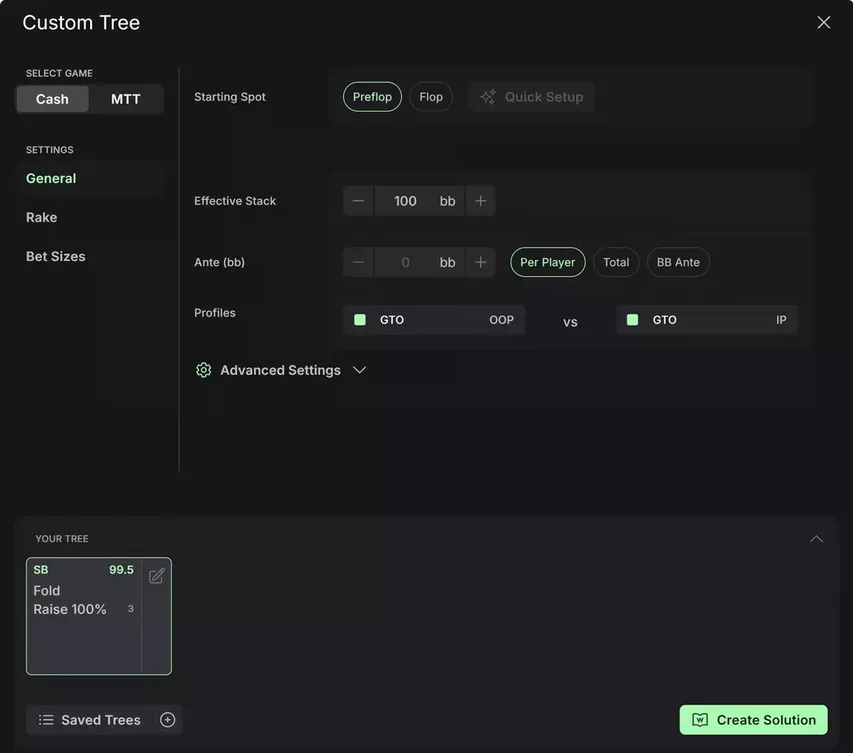
The developers went beyond a static library and created a fully customizable solver. You can:
- Set rake
- Set stacks
- Set antes
- Choose bet sizes
- Record strategies
- Simulate exploit profiles
Practice mode supports custom solutions and you can practice from preflop to river.
Spots have become clearer thanks to new visualizations: a preflop matrix, comparison mode, and the Breakdown tab. The EQ and EV distribution graph is now available for HU preflop.
Nodelocks & Profiles
Before Omaha was added to GTO Wizard, regular solvers taught optimal strategies. Now, you can learn to exploit your opponent's unbalanced strategy and use their mistakes to your advantage.
Nodlocks are available in two variants: Frequency Locking and Player Profiles.
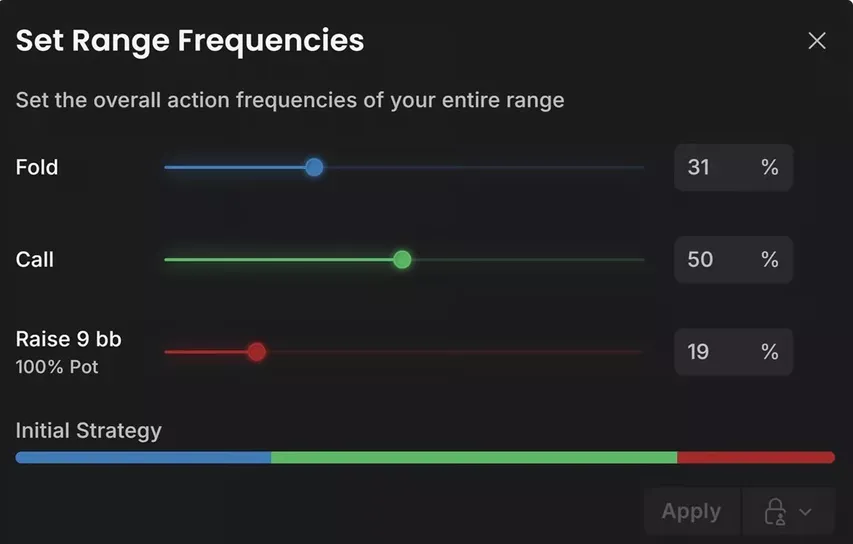
Frequency locking allows you to set the frequency of your opponent's actions in a single node. For example, if they're not 3-betting enough heads-up, reduce the frequency and the SB will open wider.
Player profiles apply a player's persistent exploitation tendencies to each decision.
For example, a very aggressive opponent who yields to counter-aggression is best modeled using a Glass Cannon profile. You can also create your own profiles and set incentives manually.
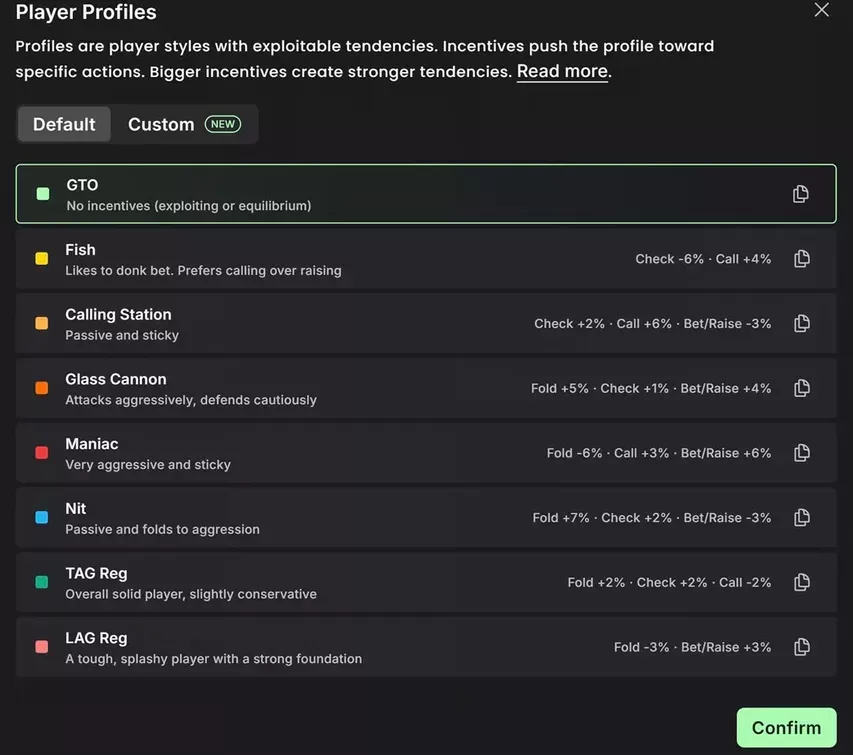
The new profile is used in all modes, including the simulator.
Postflop Solver in ICM
An ICM model has been added to custom postflop solutions. To enable it, set up an MTT tree and then select ICM as the equity model.
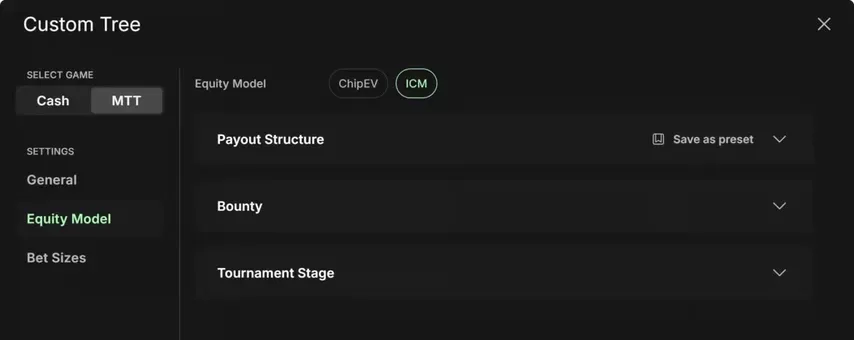
Payout Structure determines the structure and prize pool. Both regular and bounty tournaments (KO, PKO, TKO) are supported.
Bounty sets the amount for knocking out each player and the average knockout rate across the field.
Tournament Stage determines the number of remaining players and stack sizes. You can choose manual or automatic stack distribution.
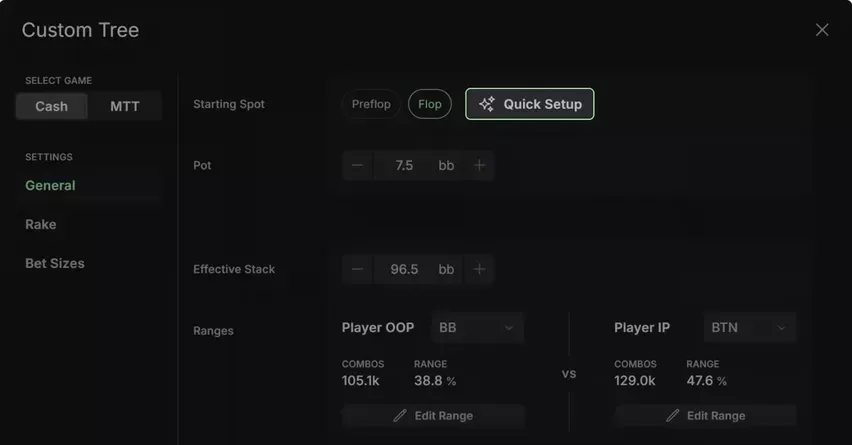
ICM preflop solutions are still in development.
Preflop Matrix
The preflop matrix is the simplest way to see the entire strategy. Instead of scrolling through an endless list of 270,000 combinations, everything is displayed in a 13x13 grid, just like in Hold'em. Each cell is named after the two highest cards: for example, T9 means the hand contains a ten, a nine, and any two cards that are low or equal to a nine.
You can control the display of suits through settings and filters.
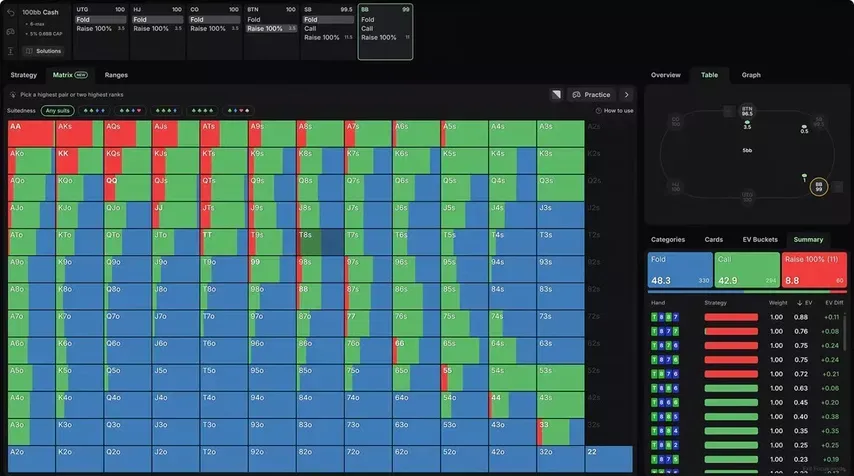
Hovering over a hand reveals its group strategy. For example, T9s (double-suited) 3-bets 16% of the time and folds 10%. Clicking on the hand creates a new matrix with other low cards and reveals which combinations 3-bet and which fold.
Visualization compresses hundreds of thousands of combinations into an interactive picture and significantly speeds up preflop learning.
Compare, a strategy comparison mode, offers additional benefit. For example, after opening from UTG, you can see how any position will react.
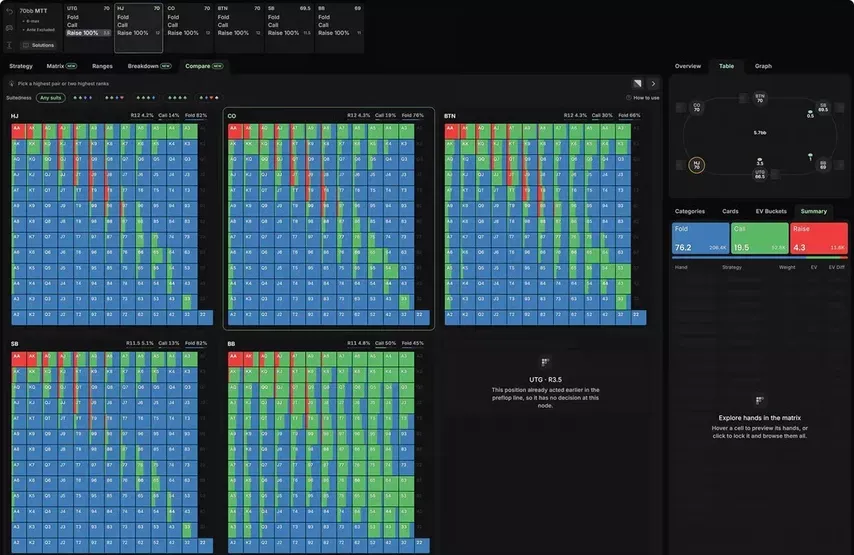
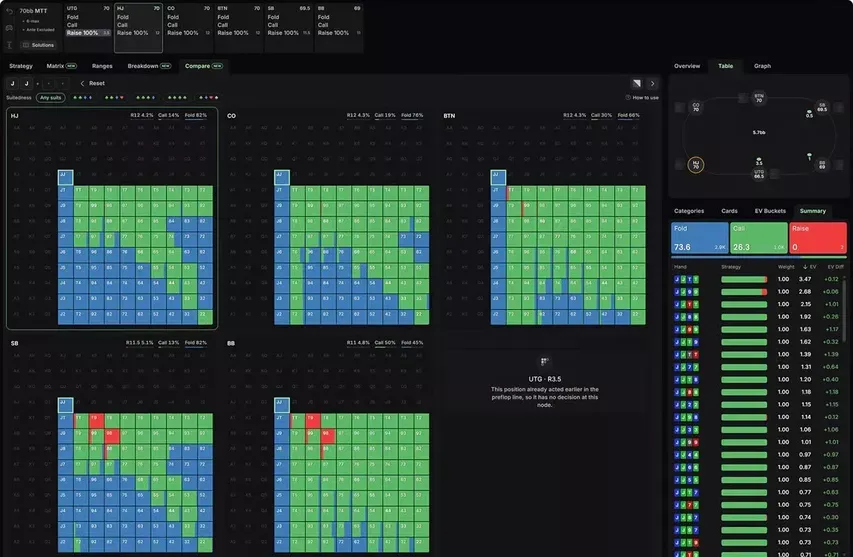
You can filter ranges by selecting combinations. Hands with JJ, for example, are called or folded with weight. Summary displays the strategy and aggregates multiple hands in a single panel.
This section makes it easy to learn rules, such as: "JJ is better to call against early position unless you're out of position and have a double-suited hand with connectors—T9, 98, or TT-88." This single heuristic replaces hundreds of hours of study and offers a ready-made solution for use at the table.
Breakdown
The Breakdown tab categorizes postflop hands into equity buckets. Each column groups hands by EV and colors them by strategy: you can see how the game changes as your hand gets stronger.
Let's say we called a raise from UTG in the BB. We check and face a continuation bet of A54ss for 76% of the pot. We see that hands with up to 50% equity are folded, while the rest are played linearly.
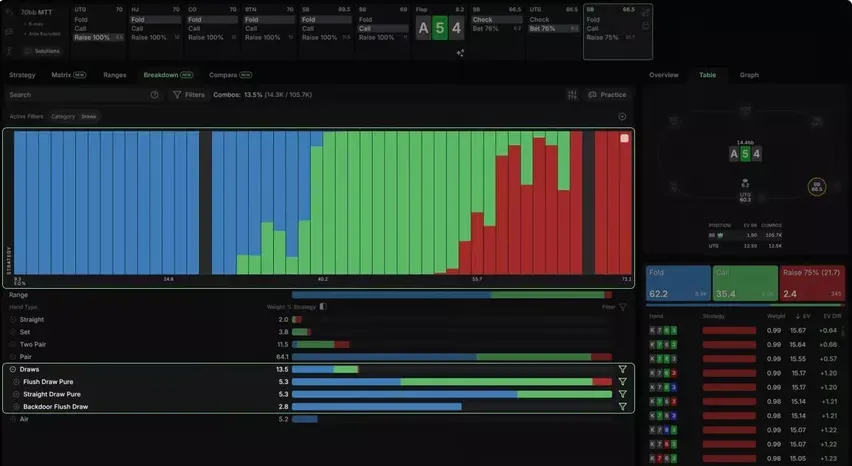
Using the category filter, you can quickly see which strategies to follow within a given hand type. For example, all drawing hands are played strictly linearly: it's recommended to bet with the strongest draws, call with medium draws, and fold weak ones. The same filter, when applied to sets, will suggest a polarized strategy, where the weakest and strongest sets are called.
Study Mode has received several small but important updates:
- Categories: We've improved the logic and added an Include/Exclude mode, which switches filters from "show" to "hide hands" with one click.
- Exporting a Preflop Range: Click the icon in the upper-right corner of any preflop action to export the range in PPT format for future reference.
- Cleaner Range Representations: Hands that perform actions with a frequency of less than 0.1% are now hidden by default (low-frequency hands can be displayed in the settings – ed.)
- Equity Graphs Now Available preflop: Compare the EV and EQ distributions of both players in heads-up preflop spots. The graphs directly show polarity and range advantage, and the legend now includes EV, equity, and the number of combos for each opponent.
You can learn more about current and upcoming Omaha solver updates on the GTO Wizard blog. The easiest way to subscribe is through the GipsyTeam Shop, where you can pay with Luxon Pay, and many other methods.


