


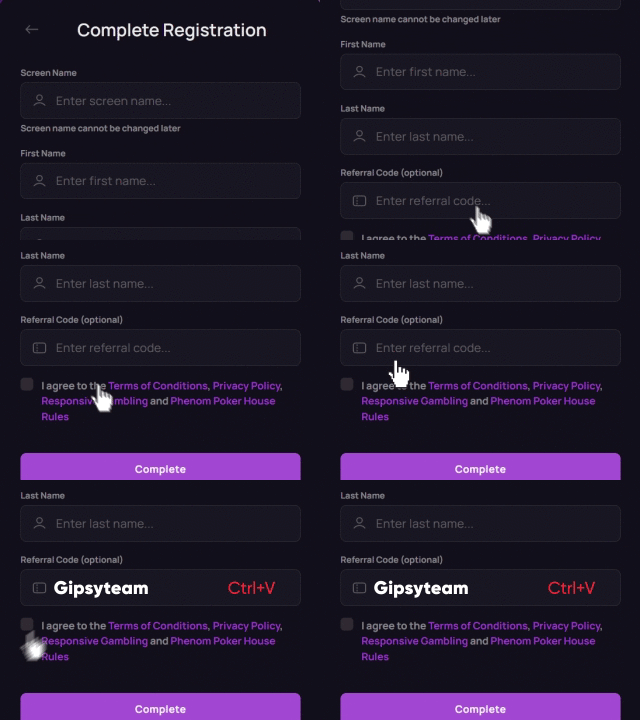


Players occasionally run into trouble accessing their favorite poker rooms. The site won't open, so you can't download the client. Or the download starts fine but the installation freezes halfway through. Sound familiar? We've been there.
If you're dealing with 888poker not working — whether that's a login issue, a failed update, or a completely blank screen — this guide covers the most common causes and the fastest fixes. We'll also walk through how to get back to playing online poker as fast as possible, and how to get started at other well-regarded rooms with strong welcome bonuses.
Why Is 888poker Not Working? Site Access Issues Explained
Wondering why 888poker is not working for you? The answer usually falls into one of several categories. If searches for ‘888 poker not working’ keep bringing you back to this page, the checklist below should resolve most cases.
If 888 poker not loading describes your situation, the most straightforward reason is a geographic restriction. 888poker does not offer services in every jurisdiction, which means attempts to connect from a blocked location can fail — 888poker unable to connect errors are exactly the kind of issue players in those areas may see.
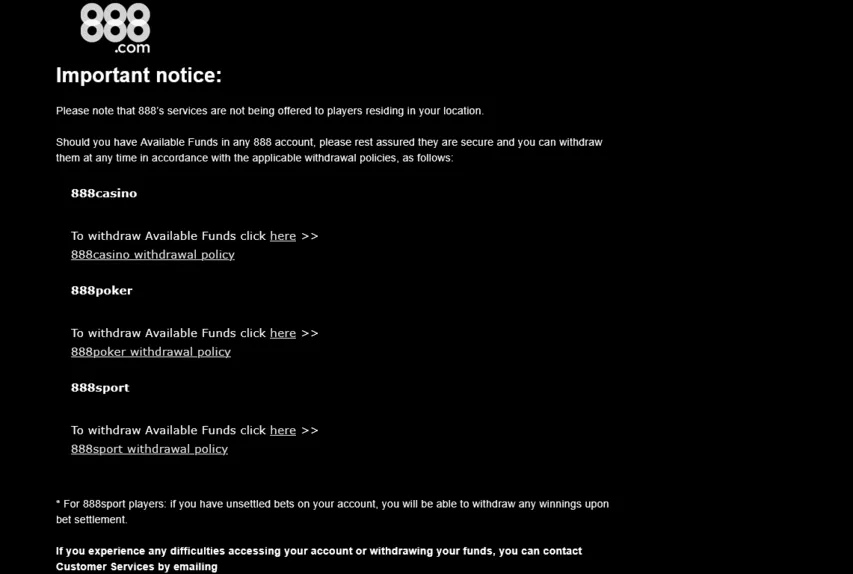
Even in a supported country, access may be affected by firewall or proxy settings, an unstable internet connection, or browser settings that prevent the download window from opening. Here's what to try:
- Use only official 888poker links. Open the official 888poker site for your country or the official 888poker download page. Avoid random mirror links from forums or search results.
- Contact GipsyTeam Support. The team is available 24/7, every day of the week. It's free, and they'll help you find the correct registration or download route for your location.

If you're in a supported country and the site still won't load, try disabling browser extensions (especially ad blockers), clearing your cache, disabling your pop-up blocker, or switching browsers entirely. Sometimes the fix is genuinely that simple. If you want to keep playing online poker without interruption, sorting out these basic settings is worth a few minutes of your time.
888poker App Not Working: Installation and Launch Fixes
Downloading and running the latest version of the 888poker client resolves the majority of issues related to setup. That said, errors tend to cluster around one particular moment: when a software update prompts you to download a new version and the process stalls.
The 888 poker download not working issue is one of the more common complaints, especially after major client updates. If the installer hangs or 888poker installation failed partway through, here are the steps worth trying first:
- Restart and retry. Close everything, reboot your machine, and run the installer fresh. A full restart can resolve temporary installation or background-process conflicts.
- Disable your pop-up blocker and retry the download. 888poker specifically lists pop-up blockers as a possible cause of download trouble.
- Check antivirus settings. Security software can sometimes quarantine poker clients. If you're sure the installer came from the official 888poker site, add 888poker to your exceptions list and try again.
- On Windows: Right-click the installer and select "Run as administrator."
- 888poker not working on Mac? Make sure your macOS version is compatible with the current client build. macOS can also block apps downloaded from the internet — go to System Settings > Privacy & Security to allow the installation when prompted. On older macOS versions, this path may appear as System Preferences > Security & Privacy.
- Delete the old client completely before reinstalling. Leftover files from a previous version can cause conflicts.
- 888poker login problem after a clean install usually means cached credentials are corrupted. Try resetting your password directly on the website.
For any technical issue — whether it's the 888poker app not working on mobile, a persistent "unable to connect" error, or something else entirely — GipsyTeam's support team has step-by-step instructions ready. Just send a message: "The 888poker client won't launch. What should I do?" and you'll get a specific answer, not a generic FAQ link.
888poker Help Center
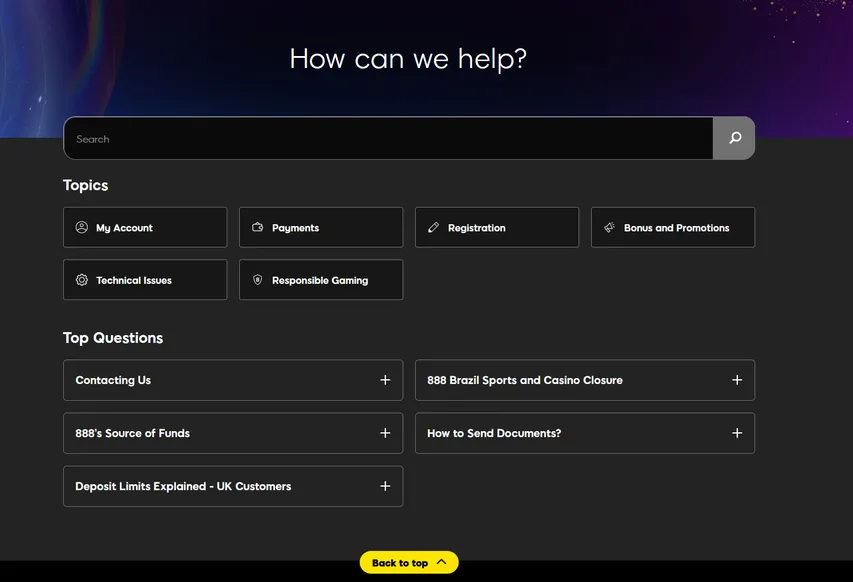
888poker also has an official Help Center where players can search for solutions before contacting support. The knowledge base is divided into sections covering My Account, Payments, Registration, Bonuses and Promotions, Technical Issues, and Responsible Gaming. You can use the search bar to look up a specific error or browse the Technical Issues section for installation, connection, and client-related guidance. The Help Center also includes a “Contacting Us” page explaining how to reach the 888 support team if the available instructions do not resolve the problem.
If you're searching for 888 poker not working today and the site appears to be down globally, it may be a server-side outage. If the problem affects multiple users, it may be a temporary server-side issue. Try again after a few minutes and check official 888poker support channels. Third-party status services can be used as an additional, but not definitive, source.


Signing Up at CoinPoker
If 888poker access remains unavailable in your region, CoinPoker can be a solid alternative where the room is available. The platform offers regular cash games, MTTs, freerolls, and the CoinRewards system alongside a strong welcome bonus. Besides, GipsyTeam currently runs a $2,000 Step Rake-Race every ten days for eligible CoinPoker players registered through the site. All poker limits and formats count toward the leaderboard.
You can register through the desktop client or the mobile app. Getting started is straightforward:
- Open the CoinPoker registration page from GipsyTeam.
- Click Sign Up.
- Enter your email address, create a password, and choose your nickname if prompted.
- Enter the GipsyTeam sign-up code GTCOM in the CODE (optional) field to link your account to GipsyTeam deals.
- Confirm your email address.
If you want the poker welcome bonus, open the cashier before your first deposit, select the Poker Welcome Bonus, and make a qualifying first deposit of at least $10.
The process is essentially the same on mobile; only the first couple of steps differ slightly in layout.


Where Else to Play Online Poker? Top Rooms on GipsyTeam
Picking the right room takes time — you're weighing game formats, rake, bonuses, country availability, and how much of a headache the sign-up process will be. GipsyTeam does that work for you. Detailed, structured reviews of every major room are available on the site, covering registration, client setup, what to do when software throws errors, and how to make fast deposits.
Always check whether a room is available in your country before registering. Here are three rooms GipsyTeam currently recommends, each with a strong welcome offer:


- GipsyTeam's unique promotions
- Help with deposits and cashouts
- Access to private freerolls
- Round-the-clock support
- Уникальные акции от GipsyTeam
- Помощь с депозитами и кешаутами
- Доступ в закрытые фрироллы
- Круглосуточная поддержка