









If you're looking for a Bodog Poker app download-related page, there's one important update: Bodog officially rebranded as Ozoon on February 17, 2026. The poker client, game formats, account credentials, and software all remain the same, the name is one of the few things that changed.
This guide explains how to download and install the desktop client on Windows and Mac, how mobile access works on iOS and Android, what system requirements apply, and where to find the full range of online poker options available through the platform.

Desktop Client Download for Windows and Mac
The desktop client is the primary way to access the full poker experience on PC and Mac. It supports up to 15 tables simultaneously, includes downloadable hand history, and gives access to both the poker lobby and casino games within one interface.
To install on Windows or Mac, sign in to your account at the official website and download the software. If prompted by a security warning asking to run the program, click Run to continue. Once the download has been completed, open the installer file from your save location and follow any instructions that may appear to complete the installation. Open the application, choose your game type, game limit, and number of available seats, then click NEXT.
Before downloading, confirm your machine meets the minimum system requirements. Any desktop device purchased within the past five years will meet these without issue.
| Requirement | Windows | Mac |
|---|---|---|
| Operating System | Windows 7 or later | Mac OS X 10.15 (64-bit) |
| Processor | Intel Core Duo or later | Intel Core Duo or later |
| RAM | 1 GB or more | 1 GB or more |
| Free Disk Space | 200 MB | 250 MB |
| Screen Resolution | 1024 × 768 | — |
| Color Depth | 32-bit (High Color) | — |
| Flash Player | Version 16 or later | Version 16 or later |
| Audio | Sound card (optional) | — |
The software uses the same encryption standards as most major financial institutions, so account data and transactions are protected from the point of installation.
The desktop version is the recommended choice for players who run multiple tables or play longer sessions, as the lobby filters, hand history tools, and multi-table interface are only fully available through the downloadable client.


Mobile Access on iOS and Android
There is no separate app store installation for mobile. On both iPhone (iOS) and Android devices, the platform runs through a mobile-optimized browser client. No download is required to get started.
To begin playing on a mobile device, sign in to your Ozoon account and tap Poker at the top of the screen. Choose your game type, game limit, and number of available seats, then tap NEXT. Select your stake from the drop-down menu, choose or input your buy-in amount, then tap TAKE MY SEAT for the action to begin.
The mobile client supports cash games, Sit & Go tournaments, and multi-table tournaments. It is designed for touch navigation and works across both iOS and Android without requiring any additional software or configuration. Players using iPhone can access the same game formats and stakes available on desktop, the difference is primarily in interface scope rather than game availability.

Game Selection and Online Poker Options
The Ozoon poker lobby covers a range of formats and structures. Cash games are available in No-Limit Hold'em, Pot-Limit Omaha, Omaha Hi/Lo, Stud, 6+ Hold'em (Short Deck), and Lowball. Tournament options include Sit & Go events and scheduled multi-table tournaments across multiple buy-in levels.

Anonymous tables are available across formats, which means player screen names are not visible at the table. This is a structural feature of the client rather than an opt-in setting.
Below is an overview of game variants and available formats:
| Game Variant | Cash Games | Sit & Go | MTT |
|---|---|---|---|
| Texas Hold'em | Yes | Yes | Yes |
| Omaha | Yes | Yes | Yes |
| Omaha Hi/Lo | Yes | Yes | — |
| Stud | Scheduled | — | — |
| 6+ Hold'em | Yes | — | — |
| Lowball | Select | — | — |
For players who want to explore beyond poker, casino games are integrated into the same downloadable client. Slots, table games, and live dealer options are accessible without logging into a separate platform or creating a different account.
Besides Ozoon, GipsyTeam provides additional coverage of other poker rooms, including player reviews, traffic data, and promotional offers for new and existing players looking for more context before signing up.


- GipsyTeam's unique promotions
- Help with deposits and cashouts
- Access to private freerolls
- Round-the-clock support
- GipsyTeam's unique promotions
- Help with deposits and cashouts
- Access to private freerolls
- Round-the-clock support
- GipsyTeam's unique promotions
- Help with deposits and cashouts
- Access to private freerolls
- Round-the-clock support
- Уникальные акции от GipsyTeam
- Помощь с депозитами и кешаутами
- Доступ в закрытые фрироллы
- Круглосуточная поддержка
- Уникальные акции от GipsyTeam
- Помощь с депозитами и кешаутами
- Доступ в закрытые фрироллы
- Круглосуточная поддержка
- GipsyTeam's unique promotions
- Help with deposits and cashouts
- Access to private freerolls
- Round-the-clock support
- Уникальные акции от GipsyTeam
- Помощь с депозитами и кешаутами
- Доступ в закрытые фрироллы
- Круглосуточная поддержка
- GipsyTeam's unique promotions
- Help with deposits and cashouts
- Access to private freerolls
- Round-the-clock support
- GipsyTeam's unique promotions
- Help with deposits and cashouts
- Access to private freerolls
- Round-the-clock support
- GipsyTeam's unique promotions
- Help with deposits and cashouts
- Access to private freerolls
- Round-the-clock support
- GipsyTeam's unique promotions
- Help with deposits and cashouts
- Access to private freerolls
- Round-the-clock support
- GipsyTeam's unique promotions
- Help with deposits and cashouts
- Access to private freerolls
- Round-the-clock support
- GipsyTeam's unique promotions
- Help with deposits and cashouts
- Access to private freerolls
- Round-the-clock support
- GipsyTeam's unique promotions
- Help with deposits and cashouts
- Access to private freerolls
- Round-the-clock support
- GipsyTeam's unique promotions
- Help with deposits and cashouts
- Access to private freerolls
- Round-the-clock support
- GipsyTeam's unique promotions
- Help with deposits and cashouts
- Access to private freerolls
- Round-the-clock support
- GipsyTeam's unique promotions
- Help with deposits and cashouts
- Access to private freerolls
- Round-the-clock support
- GipsyTeam's unique promotions
- Help with deposits and cashouts
- Access to private freerolls
- Round-the-clock support
- GipsyTeam's unique promotions
- Help with deposits and cashouts
- Access to private freerolls
- Round-the-clock support
- GipsyTeam's unique promotions
- Help with deposits and cashouts
- Access to private freerolls
- Round-the-clock support
- GipsyTeam's unique promotions
- Help with deposits and cashouts
- Access to private freerolls
- Round-the-clock support
- Уникальные акции от GipsyTeam
- Помощь с депозитами и кешаутами
- Доступ в закрытые фрироллы
- Круглосуточная поддержка
- GipsyTeam's unique promotions
- Help with deposits and cashouts
- Access to private freerolls
- Round-the-clock support
- GipsyTeam's unique promotions
- Help with deposits and cashouts
- Access to private freerolls
- Round-the-clock support
- GipsyTeam's unique promotions
- Help with deposits and cashouts
- Access to private freerolls
- Round-the-clock support
- GipsyTeam's unique promotions
- Help with deposits and cashouts
- Access to private freerolls
- Round-the-clock support
- GipsyTeam's unique promotions
- Help with deposits and cashouts
- Access to private freerolls
- Round-the-clock support
- GipsyTeam's unique promotions
- Help with deposits and cashouts
- Access to private freerolls
- Round-the-clock support
- Уникальные акции от GipsyTeam
- Помощь с депозитами и кешаутами
- Доступ в закрытые фрироллы
- Круглосуточная поддержка
- GipsyTeam's unique promotions
- Help with deposits and cashouts
- Access to private freerolls
- Round-the-clock support
- GipsyTeam's unique promotions
- Help with deposits and cashouts
- Access to private freerolls
- Round-the-clock support
- Уникальные акции от GipsyTeam
- Помощь с депозитами и кешаутами
- Доступ в закрытые фрироллы
- Круглосуточная поддержка
- GipsyTeam's unique promotions
- Help with deposits and cashouts
- Access to private freerolls
- Round-the-clock support
- Уникальные акции от GipsyTeam
- Помощь с депозитами и кешаутами
- Доступ в закрытые фрироллы
- Круглосуточная поддержка
- Уникальные акции от GipsyTeam
- Помощь с депозитами и кешаутами
- Доступ в закрытые фрироллы
- Круглосуточная поддержка
- GipsyTeam's unique promotions
- Help with deposits and cashouts
- Access to private freerolls
- Round-the-clock support
- GipsyTeam's unique promotions
- Help with deposits and cashouts
- Access to private freerolls
- Round-the-clock support
- GipsyTeam's unique promotions
- Help with deposits and cashouts
- Access to private freerolls
- Round-the-clock support
- Уникальные акции от GipsyTeam
- Помощь с депозитами и кешаутами
- Доступ в закрытые фрироллы
- Круглосуточная поддержка
- GipsyTeam's unique promotions
- Help with deposits and cashouts
- Access to private freerolls
- Round-the-clock support
- GipsyTeam's unique promotions
- Help with deposits and cashouts
- Access to private freerolls
- Round-the-clock support
- GipsyTeam's unique promotions
- Help with deposits and cashouts
- Access to private freerolls
- Round-the-clock support
- GipsyTeam's unique promotions
- Help with deposits and cashouts
- Access to private freerolls
- Round-the-clock support
- Уникальные акции от GipsyTeam
- Помощь с депозитами и кешаутами
- Доступ в закрытые фрироллы
- Круглосуточная поддержка
- GipsyTeam's unique promotions
- Help with deposits and cashouts
- Access to private freerolls
- Round-the-clock support
- GipsyTeam's unique promotions
- Help with deposits and cashouts
- Access to private freerolls
- Round-the-clock support
Troubleshooting: DNS Settings and Connection Issues
If the poker client fails to load or connect on a PC or Mac, the issue is often related to DNS configuration. Updating DNS settings resolves lobby loading problems and connection timeouts in most cases.
On Windows, open Control Panel and navigate to Network and Internet, then View network status and tasks. Click the connection link on the right, open Properties, select Internet Protocol Version 4 (TCP/IPv4), and click Properties. Select Use the following DNS server addresses and enter 8.8.8.8 as the preferred server and 8.8.4.4 as the alternate. Click OK to save.

On Mac, open System Preferences and click the Network icon. Select your active connection (the one with a green indicator), click the DNS tab, and use the + symbol to add 8.8.8.8 and 8.8.4.4 as DNS servers. Click OK and then Apply to finish.
If updating DNS settings does not resolve the issue, the poker room provides 24/7 support through its Help Center and customer service channels available directly on the official site — one of them is email, service@ozoon-mail.com. The support team can assist with installation errors, connection problems, account verification, deposit and withdrawal questions, and technical issues related to the client.
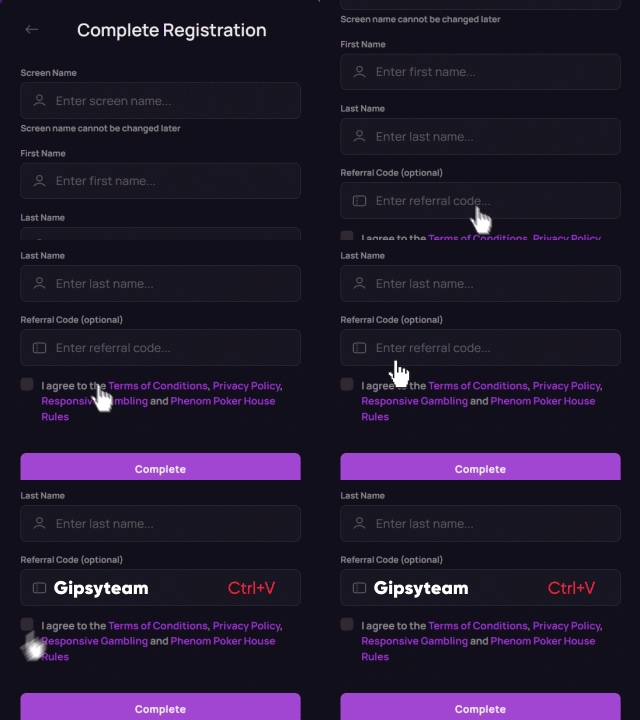
In addition, GipsyTeam offers player support and guidance for users navigating registration, software setup, and general poker room questions. If you registered through GipsyTeam, their support team can help coordinate communication and clarify procedures when needed.
- Increased rakeback and personal bonuses
- Help with deposits and cashouts
- Access to mobile applications
- Solving problems with accounts
- Technical support
- Questions about the site and forum

Conclusion
A Ozoon app download now directs to Ozoon, the rebranded platform. The desktop client for Windows and Mac supports full multi-table functionality and downloadable hand histories, while the mobile browser version provides immediate access on iOS and Android without a separate installation.
System requirements remain minimal, installation follows a simple three-step process, and the full poker lobby — including Hold’em, Omaha, Stud, 6+, and Lowball — is accessible across devices.
If you want to move beyond installation and actually improve your results, GipsyTeam has structured guides for every stage of your poker journey.
- Start with Poker for Beginners or review the full Introduction to Poker Rules to lock in the fundamentals.
- To strengthen your preflop understanding, study Poker Hands and Their Rankings and the breakdown of Top 10 Best Starting Hands in Texas Hold’em.
- If you're comparing platforms or exploring alternatives, check Best Online Poker Sites for Pros + Casual Players or the review of 5 Best Poker Apps for Smartphones.
- For a deeper dive into strategy, bankroll management, and advanced concepts, browse the complete Poker Strategy section or explore the full Table of Contents.
- Whether you're just installing the client or building a long-term edge, these resources help you go from setup to structured improvement.