









Check Replay is an advanced hand replayer that will help you analyze final table hands and organize your hand database. We've put the program through its paces, testing all its features and evaluating the support team's performance.
How to Quickly Register for Check Replay
There's no need to download any software because Check Replay opens via a web app on CheckReplay.com. The page loads quickly and can be accessed from IP addresses around the globe. Registration is also quick. You just need to enter your email address and create a password, or log in with Google.
The replayer supports multiple languages. You can change the version with a single click by switching the icon.
Before logging in to the site, we recommend checking the "Remember me for a month" checkbox to save time: you won't have to re-enter your username and password for the next 30 days.
Using the Check Replay Hand Replayer
You can download hands and tournaments from poker rooms using the corresponding button; both .txt and .xml formats are supported. We had no complaints about the speed. The software processes even large tournaments in a couple of seconds. The software supports both Hold'em and Omaha.
By default, the replayer displays player cards and positions, the table size, and the current blind level. Some options can be hidden via the toolbar.
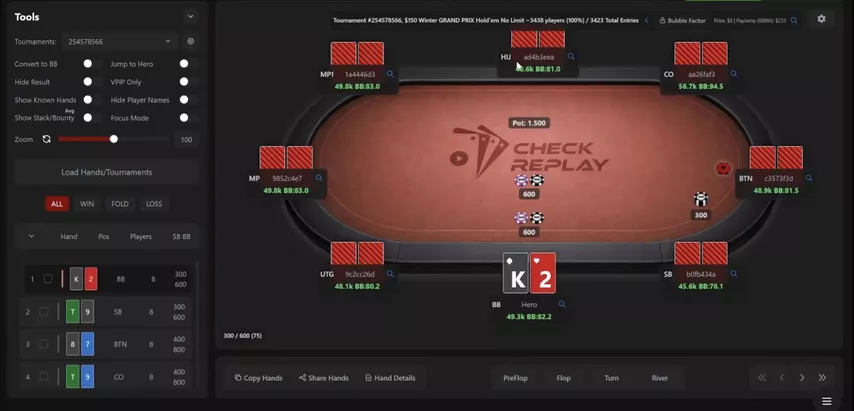
You can switch between hands and streets using the arrow keys. The software operates smoothly and this section of the screen also contains several useful buttons:
● Copy Hands: The software saves the hand in text format in the clipboard.
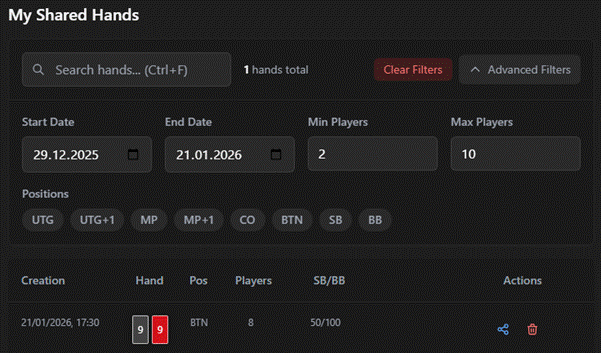
● Share Hands: The replayer generates a link to the replayer. All sent hands are saved in a separate list, which can be sorted by date and position.
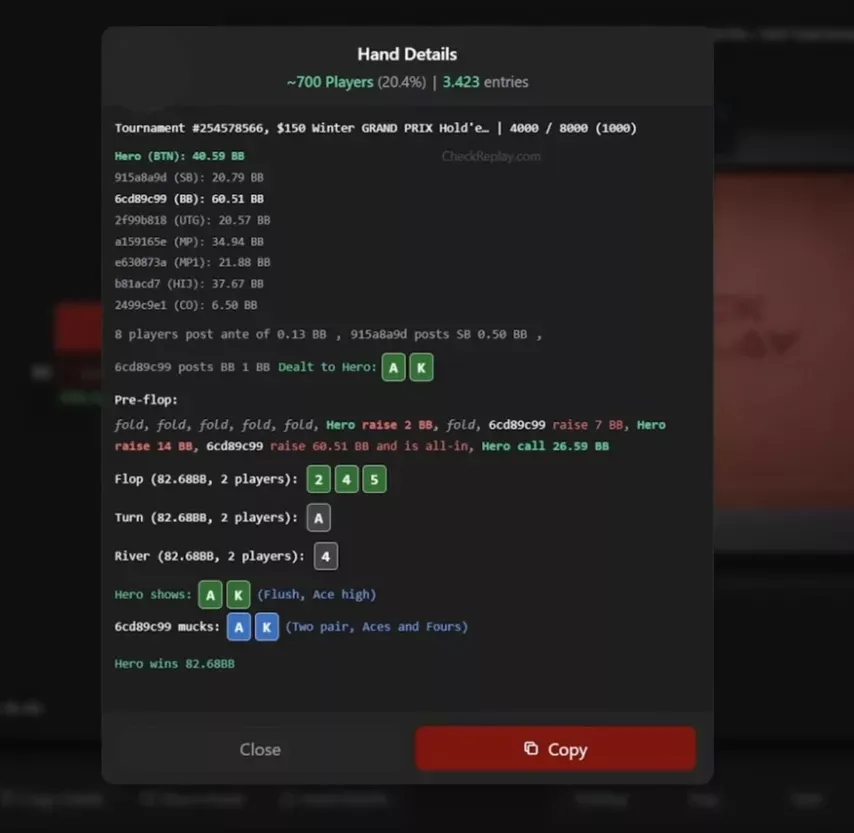
● Hands Details: The most visual option, especially if you're used to sharing hands on the forum. It copies in one click, and card suits aren't lost when copying.
Check Replay lets you download hands as well. GGPoker and PokerStars are currently supported. In addition to Hold'em, Omaha and PLO6 are also available.
Using The Bubble Factor Calculator
After loading your hands, the software allows you to add information to account for the bubble factor. The process is simple: use the button on the right side of the screen to enter your starting stack and insert a breakdown of the tournament payouts. Depending on the poker room, there are two options:
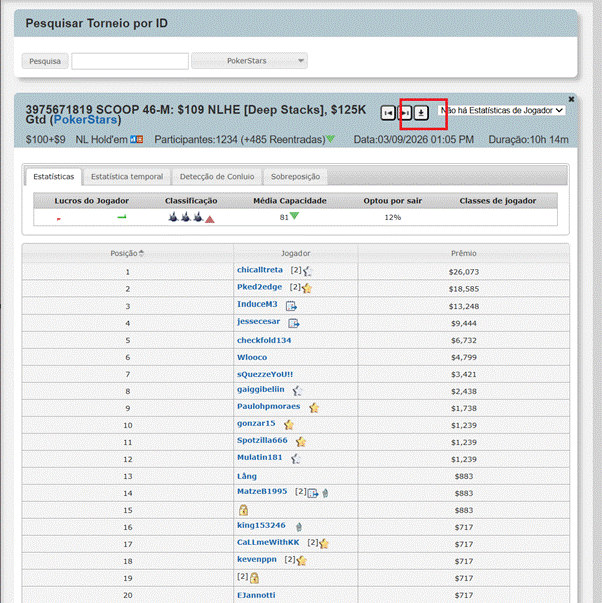
Via SharkScope: You can access the website by clicking the magnifying glass icon. Check Replay is synced with the service, and the page for the desired tournament will automatically open in a new window. All you have to do is click Download and transfer the .json file to the replayer.
Import is now available for almost all major poker rooms. These include PokerStars, 888poker, WPN, iPoker, partypoker, Winamax, CoinPoker, Bodog, and Ignition.
Via PokerCraft: GG Network tournaments aren't displayed on SharkScope; you can transfer them directly through the room's internal tracker. Open the desired MTT and highlight the ITM zone in italics.
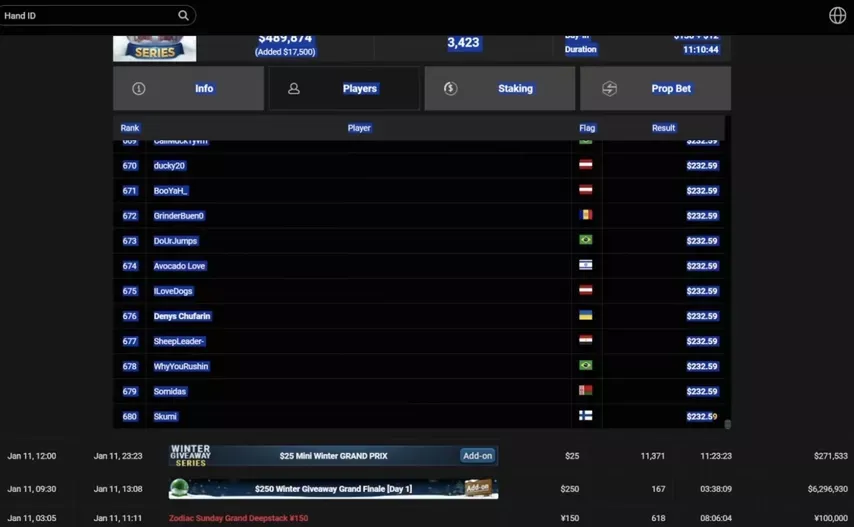
Then, paste the text into Check Replay, enter the desired starting stack, and click Extract Prize Structure. Download the .json file and upload it to the replayer.
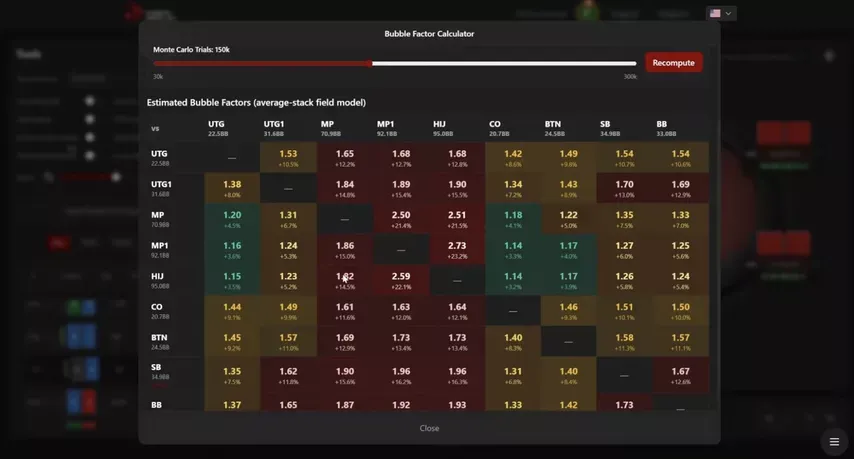
To view the final table's bubble factor, find and click on any spot in the list, then click on Bubble Factor: the software calculates the final table's bubble factor for all players in a couple of seconds, based on their positions and stacks.
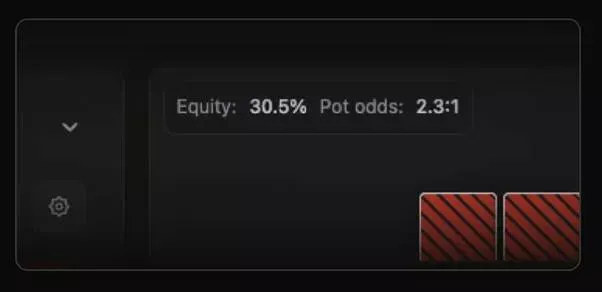
An equity and pot odds widget is displayed at the top of the table; this option can also be disabled through the settings.
Check Replay's Control Panel
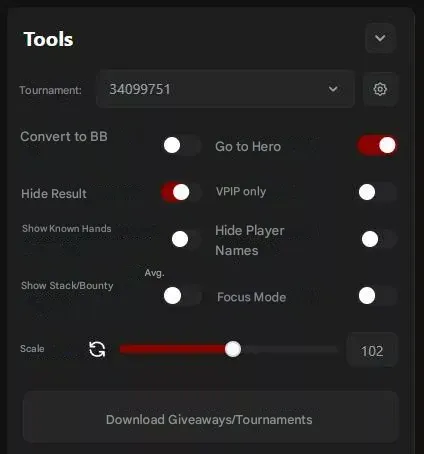
All the necessary options are located in the Tools sidebar. Here you can convert your stack to big blinds, show the average stack at any point during the tournament, maximize the table, and skip ahead to the hero's decision.
Hands are divided into three groups: wins, losses, and folds. Individual hands from each category can be checked with a checkbox, and a new folder will automatically be added to the panel. They can be exported to the clipboard with one click in .txt format.
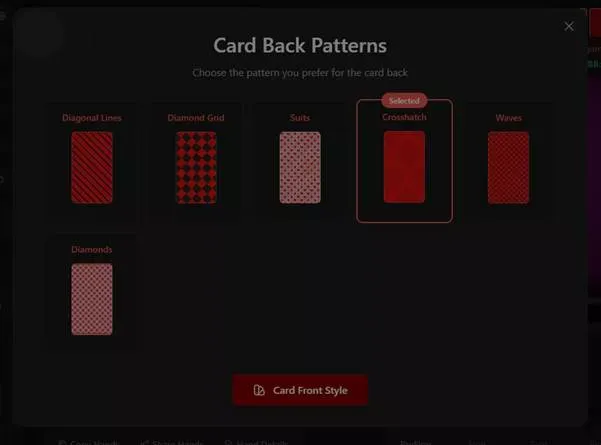
You can change the text color, background, table style, and card backs in the settings. To return to the original design, click the "Default" button.
Getting Support for Check Replay
You can contact support via the internal chat: by default, an AI assistant responds, but the neural network works well, and the robot handled all basic questions perfectly.
Alternatively, you can submit a request through the website or email support@checkreplay.com. Customer support speaks English and responds quickly, typically within 30 minutes.
Check Replay Subscription Options
After registering with Check Replay, you can opt for a free trial. It's fairly nominal: hand histories are limited to five hands per session, allowing you to log three sessions per day. Paid plans remove these restrictions. The functionality is identical, the only difference being the monthly price:
● Monthly plan – $9 per month.
● Annual Plan – $5.75 per month ($69 per year).
Try all of Check Replay's features at a great price through GipsyTeam: use promo code GIPSY to pay for a monthly subscription in our store with a 50% discount. The promo code is valid for only two weeks from the date of this article's publication (March 27, 2026). Credit cards and other payment methods are accepted, and our support team will assist with registration.