


Here we explain why Bovada Poker is not working: the poker room's website won't open, the game software won't launch, or you can't sign in to your account. We'll walk through the reasons behind each issue and suggest what to do about it.
What Makes Bovada Poker Different?
It makes sense to start with what sets this room apart, because the very features of Bovada Poker are what create trouble with site access, logging in, and reaching support. Bovada launched as a US-facing brand in 2011, although the poker platform traces its roots to Bodog's online poker operation, which dates back to 2004. Bovada shares a common player pool across the PaiWangLuo Network with Ignition Poker.
Bovada Poker targets the US market and accepts players in most states, excluding Arizona, Colorado, Connecticut, Delaware, Kansas, Louisiana, Maryland, Massachusetts, Michigan, Nevada, New Hampshire, New Jersey, New York, Ohio, Pennsylvania, Rhode Island, Tennessee, Vermont, West Virginia, and Washington, DC.
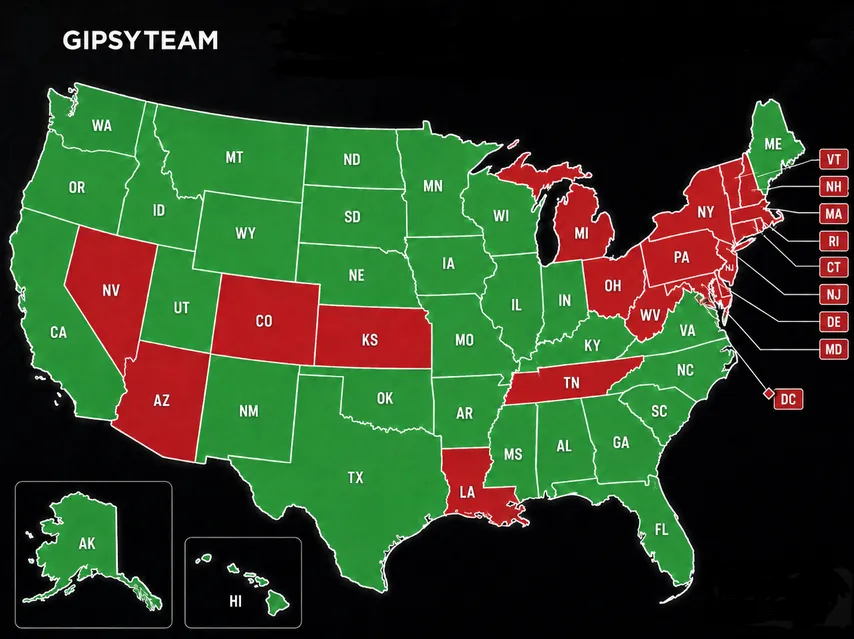
Bovada primarily serves eligible US residents. The public restricted-jurisdiction page focuses on US states. The same site also hosts an online casino and a sportsbook. The room tightly controls access from anywhere other than the US. If you try to access Bovada from a restricted jurisdiction, the site may display a region-availability notice and block access.
GipsyTeam has a detailed review of Bovada Poker on the site. The same section also covers reviews of many other online poker rooms.
Software Problems
We tried to figure out how to download Bovada's game software. The room's website shows Android and iOS logos, along with a "How to Play" link. Bovada offers downloadable poker clients for Windows and macOS. On iOS and Android, poker runs through a mobile web app in the browser, so there is no native poker app to reinstall.
The official Help Center provides direct download instructions for the Windows and macOS clients, and an email contact form for poker-related issues. Logged-in users may also see additional support options in their accounts. Registration is available in most US states, subject to Bovada's restricted-jurisdiction list. You'll find the full list in the room's terms.
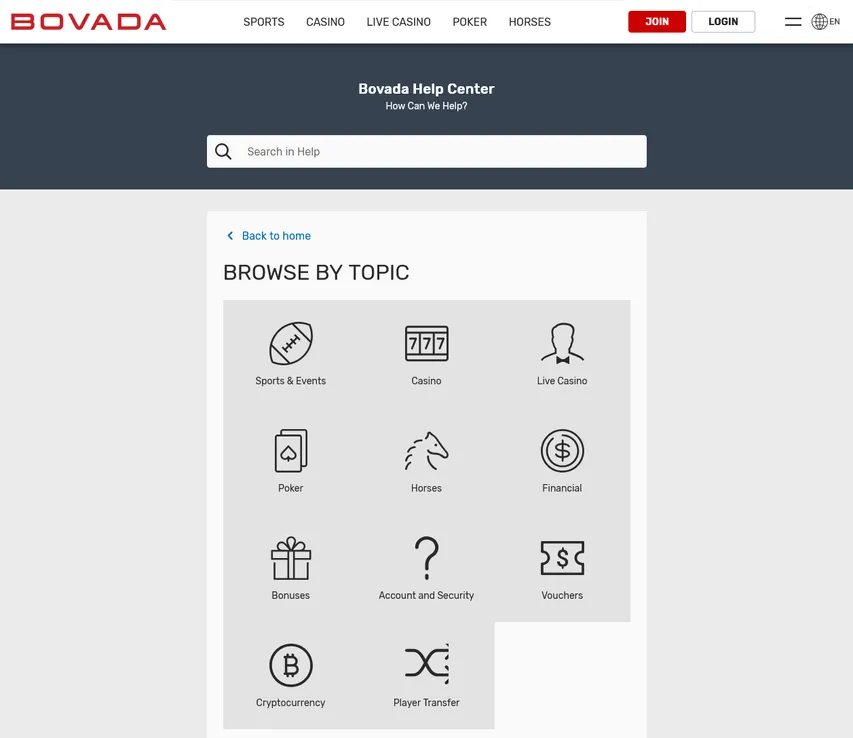
Under the "Mobile Poker" link we managed to dig up this: "Bovada Mobile Poker supports iOS and Android. If you have an iOS 10 or newer, an iPad, or a tablet, you can get started. Bovada Mobile Poker also supports Android, so the site displays correctly on any device running that operating system."
And further: "You can join a game on your mobile device by opening our site on your phone or tablet. Then just sign in to your account."
Bovada provides downloadable poker clients for Windows and macOS, with official troubleshooting instructions for installation and gameplay issues. Mobile poker runs through a browser-based web app rather than a downloadable native app. So if the Bovada app is not working on your phone, remember there is no native app to reinstall — open the site in your mobile browser and sign in there instead.
Reinstalling the Bovada Poker Client
If the desktop client fails to launch, update, or connect, Bovada's official fix is to clear the client's local data and let it rebuild.
On Windows:
- close the poker client;
- open %appdata%;
- find and delete the bovada-lv-poker* folder;
- do not delete the main Bovada folder;
- reopen the client.
On macOS, delete the bovada-lv-poker* folder from ~/Library/Application Support, then reopen the client.


What to Do If You Can't Reach the Bovada Poker Site
Do not use a VPN, proxy, or similar service to bypass Bovada’s location restrictions. Its Terms of Service treat location masking as prohibited activity and allow the operator to close the account and forfeit the balance.
Say a US-based player has registered successfully. Here are the main access problems that can still crop up:
- You're in a restricted jurisdiction. Fix: do not attempt to play from that location; attempts to bypass the restriction can lead to account closure and forfeiture of the balance.
- Internet trouble, such as a full outage or slow speeds. Fix: restart your router or modem, check the connection on other sites and devices, and try another internet connection, such as mobile data.
- Outdated, overloaded, or corrupted browser cache and cookies, especially on mobile. This is a common reason a website is not working. If Bovada is not loading at all, clear the cache, cookies, and browsing history, then reopen the site.
- Antivirus or firewall warning. Fix: do not disable security protection globally. First verify that you are using the official Bovada domain and review the exact warning before creating any narrowly scoped exception.
- Outdated software. Fix: update your browser and install the latest operating system updates.
- Scheduled maintenance on the room's site or a server failure. Fix: wait for the technical work to finish. It's usually announced in advance.
To check whether Bovada is down right now, open the site on another device or network. If it loads elsewhere, the trouble is local to your setup rather than a room-wide outage.
If you are still unsure of why Bovada Poker is not opening, feel free to contact our support team, we are ready to help 24/7, free of charge.

Why You Can't Log In to Your Account
Bovada is not licensed by individual US states. Instead, it maintains its own restricted-state list and blocks accounts accessed from the jurisdictions named in its Terms of Service. On top of that, the room itself imposes plenty of restrictions on players. Here are the frequent cases where a login problem stops you from getting into your account.
- Account temporarily blocked. Bovada states that accounts are blocked after three failed login attempts. Use the password-reset option or contact support instead of repeatedly trying different passwords. You may also need to complete SMS phone validation.
- Wrong login details. Fix: manually enter the email address registered to your account and the correct password, then use the password-reset option if needed.
- Incorrect credentials saved by your browser or password manager. Skip autofill and type your username and password manually.
If a genuine account problem persists after these steps, support is the only reliable way to sort it out.
Common Bovada Poker complaints tend to involve blocked access, login trouble, and payments. If a deposit is not working, first confirm that your chosen payment method is supported and active, then contact support to check whether the transaction went through before trying again.
Playing Conditions on Bovada Poker
The room uses a recreational-player model with anonymous tables, Quick Seat, and restrictions on external player-assistance tools:
- Real-time HUDs, third-party player databases, and other external assistance tools that provide an unfair advantage are prohibited. Players can still download their own hand histories for later review.
- There are no waiting lists — players are seated at any open table.
- Multi-tabling is capped at four regular cash tables, two Zone Poker tables, or 15 tournament tables.
- Every table is anonymous. Opponents' screen names all show up as "Player."
Mobile poker runs through a browser-based web app, while downloadable clients remain available for Windows and macOS. Both the desktop clients and mobile web app can experience technical issues.
Fans of traditional poker will appreciate the game selection. The lobby focuses on Texas Hold'em, Omaha, and Omaha Hi/Lo across cash games and tournaments.
Cash Games. The tab holds everything from standard Hold'em to Omaha Hi-Lo. Each discipline comes in several versions, including limit. Experienced players will spot a dedicated heads-up section.
Cash games begin at microstakes such as $0.02/$0.05. Fixed-Limit tables are listed up to $30/$60 in Bovada's official rake schedule. The maximum currently available No-Limit, Pot-Limit, and Zone Poker stakes should be checked in the poker client. Cash games are available in full-ring, 6-max, and heads-up formats, while Zone Poker provides fast-fold action. Zone Poker stakes range from $0.02/$0.05 to $1/$2.
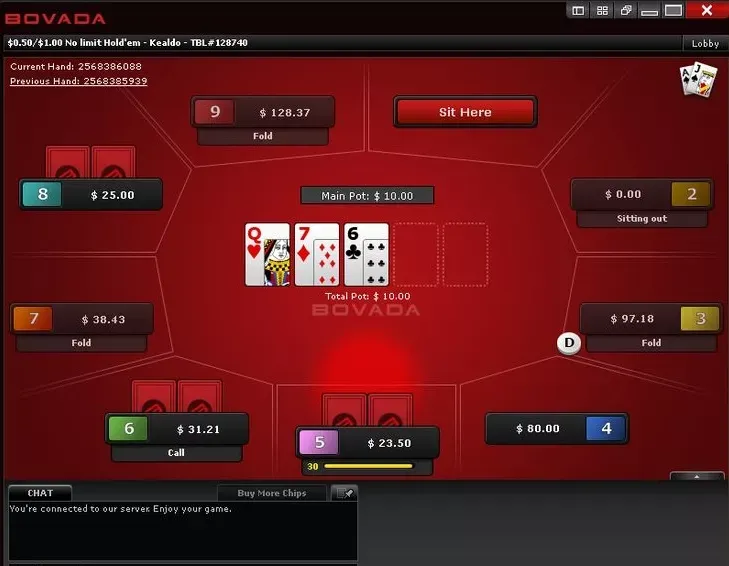
Tournaments. The tournament schedule ranges from microstakes events to the weekly $100K Guaranteed High Roller, which has a direct buy-in of $300 + $25 and qualifiers starting at $5 + $0.50. The schedule includes daily and weekly guaranteed events, satellites, and recurring tournament series.
Sit & Go buy-ins range from $1 to $200, with heads-up, 6-max, and full-ring formats available.
Jackpot Sit & Go tournaments run at six buy-ins—$0.50, $2, $7, $20, $50, and $100—with the detailed prize table showing a maximum multiplier of 2,500x at the $100 level.
Other international poker rooms include CoinPoker, RedStar Poker, and Phenom Poker, each with its own game selection, eligibility rules, and traffic patterns.


Online Play Options and Exclusive Bonuses on GipsyTeam
If Bovada isn't available where you are, GipsyTeam features several poker rooms you can play through, each reachable on desktop and mobile and each tied to its own exclusive welcome offer. The set of perks differs from room to room — some add extra rakeback, others run rake races or freerolls — so it pays to check the offer for each one.

- GipsyTeam's unique promotions
- Help with deposits and cashouts
- Access to private freerolls
- Round-the-clock support
- Уникальные акции от GipsyTeam
- Помощь с депозитами и кешаутами
- Доступ в закрытые фрироллы
- Круглосуточная поддержка
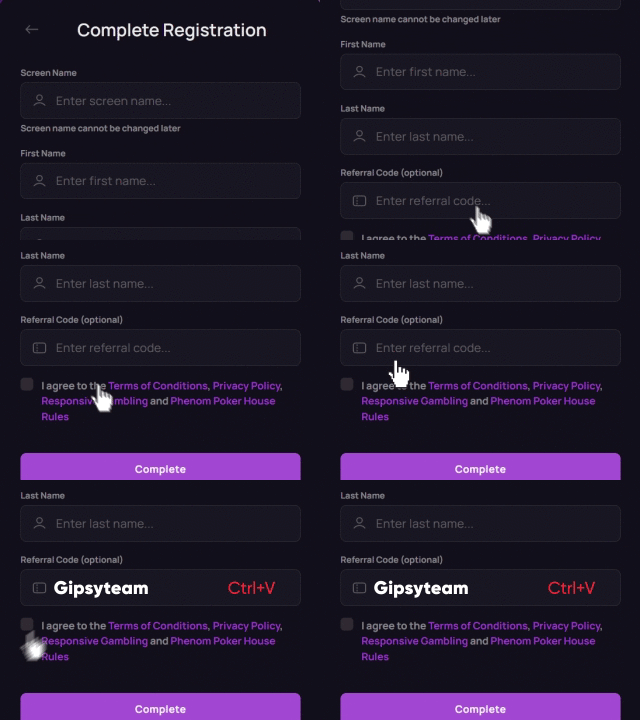
On mobile, these rooms let you play either through a dedicated client or straight from the browser, so you can sit down at the tables from a phone or tablet as well as a computer. To make the exclusive terms apply, register through the GipsyTeam link for the room and enter the matching sign-up/promo code from the table above when you create the account. If you're unsure which method fits your situation, reach out to GipsyTeam support before signing up.
Helpful Poker Resources
On our site you'll find plenty of material to help you become a confident poker player:
- we cover poker hand rankings and the differences between poker variants;
- we show you how to learn to play poker and where it's most rewarding to play poker for real money;
- we share the latest promotions from CoinPoker and BCPoker;
- we explain how to download GGPoker and what to do if you run into login problems on CoinPoker.
And if you'd like to compare the terms of different poker rooms for online play, take a look at the dedicated review section on GipsyTeam.