


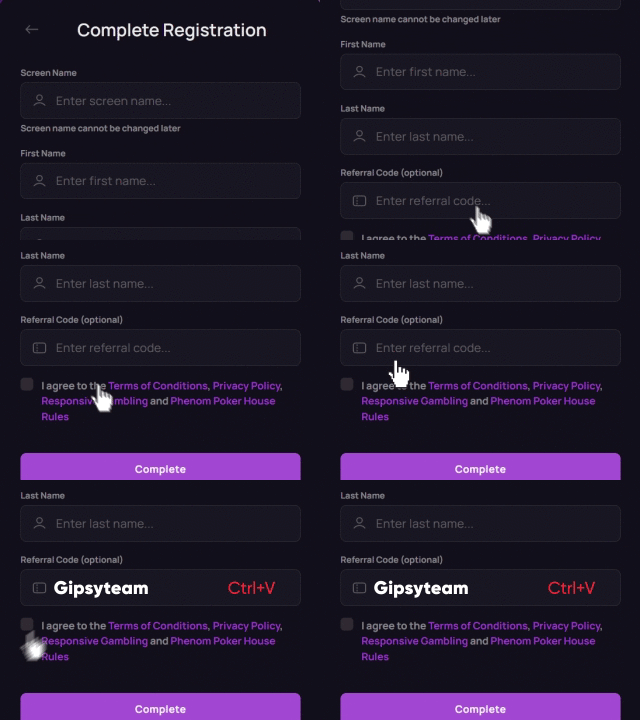


If you are an online poker grinder looking to play at CoinPoker, and wondering about the best HUD for CoinPoker, you will probably want to know that external HUDs are no longer allowed on the site since June 2026.
CoinPoker allows its built-in HUD at cash game and tournament tables, while external HUDs and tracking tools such as PokerTracker, Hold’em Manager, Hand2Note, and DriveHUD are prohibited during play. PokerIntel also remains available as part of CoinPoker’s own software.
The crypto poker operator introduced an integrated poker HUD of its own, which tracks all the key stats on your opponents without the need to download or set up any external tools. With this move, CoinPoker joined GGPoker as one of the online poker operators that allow players to display opponent stats without any extra software requirements.
Now that the new CoinPoker tracker has been added as part of the most recent software overhaul, all that’s left is for you to learn how to use it and other new features of CoinPoker to give yourself the maximum edge at the tables.


CoinPoker’s Integrated HUD and Other New Features
CoinPoker has been around for years, but it was lacking in software quality until recently, when the operator undertook a massive project and changed the platform from the ground up. The overhaul was conducted in cooperation with PokerBaazi, which means CoinPoker is now powered by one of the most comprehensive online poker platforms in the world.
A part of that upgrade was the inclusion of an integrated HUD for CoinPoker, which allows players to quickly access all key data without having to rely on external software. Using the CoinPoker HUD is straightforward. At any cash game or tournament table, click an opponent’s avatar to open their player profile. From there, you can select the available time period and review their HUD stats, as well as add notes and player tags to help identify tendencies in future hands.
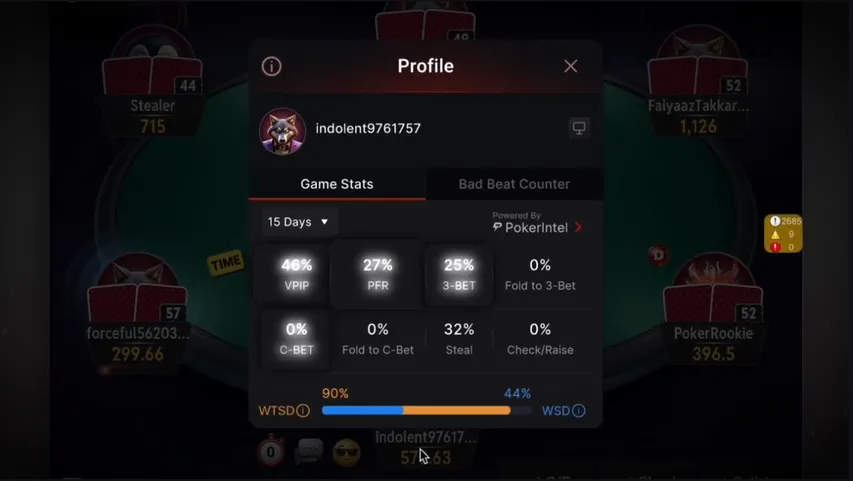
The HUD stats can be displayed at all tournament and cash game tables, and they are quite comprehensive, covering everything from the most basic stats like VPIP and PFR to the more advanced 3-bet, c-bet, WTSD, and WSD stats. Here is the complete list and what each stat tells you about an opponent:
| Stat | Meaning | What It Tells You |
|---|---|---|
| VPIP | Voluntarily Put Money in Pot | How often a player voluntarily enters a pot preflop |
| PFR | Pre-Flop Raise | How often a player raises preflop |
| 3-Bet | Preflop re-raise | How often a player re-raises preflop |
| Fold to 3-Bet | Fold after facing a 3-bet | How often a player folds after facing a preflop 3-bet |
| C-Bet | Continuation Bet | How often the preflop aggressor continues betting after the flop |
| Fold to C-Bet | Fold to Continuation Bet | How often a player folds when facing a continuation bet |
| Steal | Preflop steal attempt | How often a player attempts to win the blinds with a preflop raise |
| Check/Raise | Check followed by a raise | How often a player checks and then raises on the same betting street |
| WTSD | Went to Showdown | How often a player reaches showdown after seeing the flop |
| WSD | Won at Showdown | How often a player wins after reaching showdown |
Together, these stats provide a quick overview of an opponent’s preflop tendencies, postflop aggression, and showdown behavior.
The introduction of an integrated HUD into the CoinPoker platform ensured that all players are now on an equal footing, as pros no longer have an edge coming from an external tool. Instead, everyone gets access to the same data, and its interpretation is the only thing that’s left to the players.
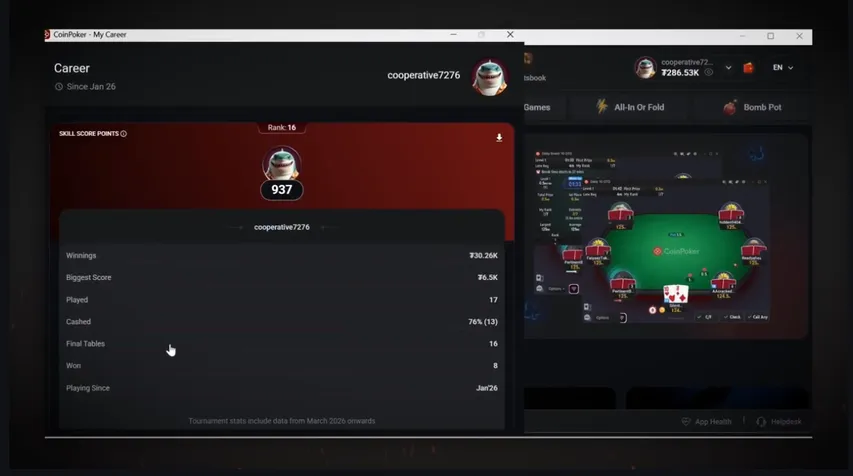
In addition to the integrated HUD, CoinPoker also introduced a number of other key features as part of its recent software upgrade, such as:
- PokerIntel: Advanced data processing tool providing additional insights into your results and performance.
- Skill Score: An MTT rating system that lets you know how well you are performing compared to the rest of the player pool.
- Upgraded Hand Replayer: A next-generation hand replayer, allowing you to review your entire session within the software.
- Run It Multiple Times: Allows players to run the remaining cards more than once at the cash game tables.
- EV Cashout: Allows players to cash out their EV in all-in situations.
- Chip Offload: Allows players to remove chips from play at All-In-Or-Fold tables.
CoinPoker Banned Third-Party HUDs and Other Software
Another big change that came with CoinPoker’s software overhaul was the overhaul of the operator’s policy on third-party software.
Before, players could use a variety of software while playing at CoinPoker. Some tools were explicitly allowed, while others were not officially banned.
Now, players will get in trouble for using any of the following tools at CoinPoker:
- External HUDs: Any external HUD or tracking software use is prohibited, and the integrated HUD is the only HUD players are allowed to use. This includes tools like PokerTracker, Hold’em Manager, and Hand2Note.
- Real-Time Assistance (RTA): All software, charts, and tools that can be used to gain an advantage over your opponents in real time are also banned. This includes tools like GTO Wizard, PioSolver, and MonkerSolver.
- Training Tools: While players are encouraged to use training tools away from the tables, all training tools should be shut down before play. This includes tools like PLO Mastermind, GTO Wizard Trainer, and Upswing Poker Lab.
- Mass Data Analysis: Any use, creation, or sharing of mass data analysis databases is also banned. This includes data mining or purchasing premade databases from other users.
- Virtual Machines: Players must access CoinPoker from standard physical operating system environments. Tools like VMware, VirtualBox, and Hyper-V are all banned.
Using prohibited software may result in warnings, account restrictions, suspension, confiscation of funds, or permanent account closure. If you are looking to use external tools during play, we recommend checking out other online poker sites that still allow external HUDs, such as Americas Cardroom, RedStar Poker, and PokerStars.


Multi-Tabling Software Still Works at CoinPoker
While third-party HUDs, RTA tools, and mass data analysis are all banned at CoinPoker these days, there is still some software you can use to make your CoinPoker sessions more enjoyable.
The tools that haven’t been banned and are explicitly allowed by CoinPoker are mostly focused on making the multi-tabling process easier for players playing many poker games at the same time.
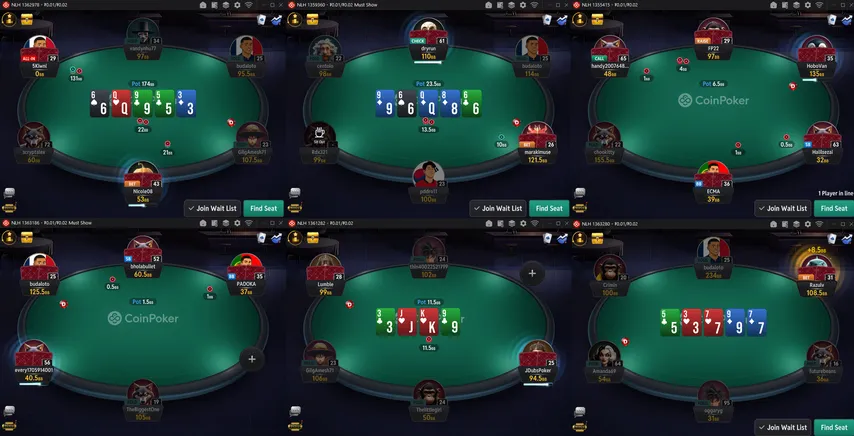
Table management tools, such as Jurojin and CoinCaption, can be used to manage things like window placement, table focus, and organization. The table management tools must not include any gameplay advice, strategic recommendations, or other features that break the rules on banned software.
Hotkey tools that allow players to use their keyboards to simplify outputs and make gameplay more convenient are also allowed. Such tools may be used to allow players to take actions faster and with fewer motions, but they must not be automated in any way. Any use of automated software may lead to a ban, funds confiscation, or other penalties.


Make Use of Poker Room Promotions
Apart from upgrading its software, CoinPoker has also overhauled its entire VIP rewards system, creating new and fun ways for players to benefit from playing on the platform. This starts with the valuable welcome bonus package, but also includes the CoinRewards program, and, as of recently, the exclusive 3-Bet Club.
However, CoinPoker isn’t the only site with valuable promotions, and at GipsyTeam we make it our mission to grant you access to the best and most profitable promos at all times. Check out the box below for the best ongoing promos at top poker sites, updated in real time.

Need Help with Your Poker Career?
If you are looking to jump-start your poker career, there is hardly a better place to do it than CoinPoker, as its free HUD gives you full access to all player data without any third-party software, and the games are as soft as they can be.
Before you get started, make sure to check out our Poker for Beginners guide if you are new to the game, or learn about GTO poker if you are looking to take your game to the next level.
If you need any more help with identifying the best poker sites to play at, choosing the right software to use to improve your play, or anything else poker-related, don’t hesitate to reach out to our helpful customer support agents, who are always happy to be of service.

CoinPoker HUD FAQ
Does CoinPoker allow HUDs?
Yes, but only CoinPoker’s built-in HUD can be used during play. External HUDs and tracking overlays are prohibited under the room’s current third-party software policy.
Can I use PokerTracker, Hold’em Manager, Hand2Note, or DriveHUD on CoinPoker?
No. Popular third-party tracking tools such as PokerTracker, Hold’em Manager, Hand2Note, and DriveHUD cannot be used to display stats while playing on CoinPoker. They may still be used away from the tables for permitted study and analysis.
What stats does the CoinPoker HUD show?
The built-in HUD displays 10 player stats: VPIP, PFR, 3-Bet, Fold to 3-Bet, C-Bet, Fold to C-Bet, Steal, Check/Raise, WTSD, and WSD.
Is PokerIntel the same as the CoinPoker HUD?
No. The HUD displays opponent statistics at the tables, while PokerIntel is CoinPoker’s built-in analysis tool that provides additional information about your own results and performance.
Can I use GTO Wizard or other solvers while playing on CoinPoker?
No. Real-time assistance and strategy tools such as GTO Wizard, PioSolver, and MonkerSolver must not be used while playing on CoinPoker. Such software should only be used for off-table study.