




UP Poker is an online poker platform built for players who want access to real-money poker games across desktop and mobile devices. This guide is written for players searching for how to download UP Poker safely, whether they plan to play on a PC, Mac, or mobile device. Since UP Poker does not distribute its software through public app stores, understanding the correct download process is essential to avoid errors, security risks, or unofficial files.
In this article, you’ll learn how to download UP Poker using the official client and mobile app, what devices are supported, and what to expect during installation. We’ll also cover basic safety considerations, system requirements, and regional availability so you can get started without unnecessary complications.

How to Download UP Poker Safely (PC & Mobile)
The UP Poker download process should always be completed through the official UP Poker website. The platform does not offer its app or client on Google Play or the Apple App Store, which means any third-party listing claiming to provide the UP Poker app should be avoided. Downloading from unofficial sources increases the risk of corrupted files, outdated versions, or security issues.
To download UP Poker, the general process is the same across devices. First, visit the official website and click the Download button. From there, you select the version that matches your device, desktop client or mobile app, and follow the on-screen installation instructions. Once installed, you can launch the app or client, create an account, and log in.
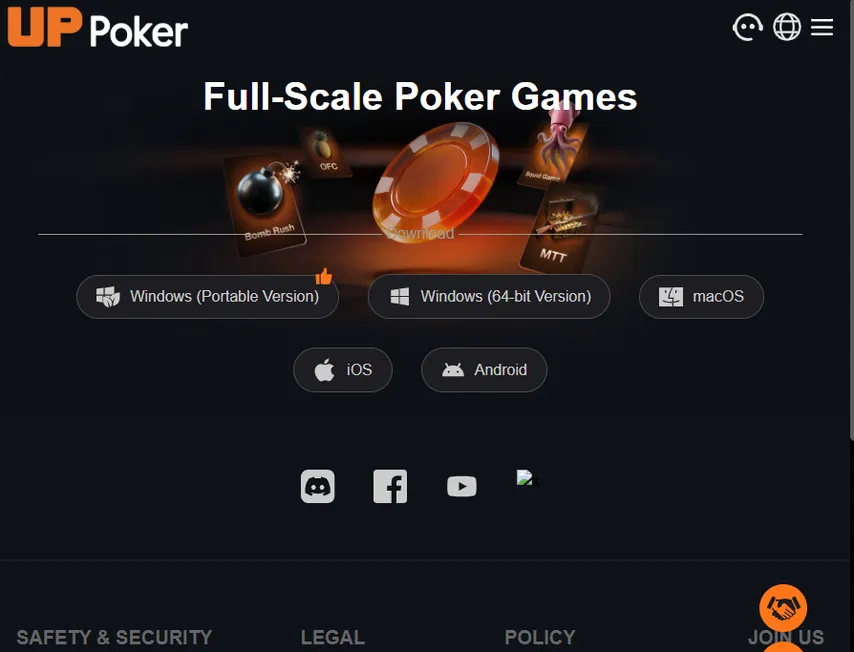
UP Poker Desktop Client Download (Windows & Mac)
Players who prefer a larger screen and stable performance can use the UP Poker desktop client. The software is available for both Windows and macOS and is designed to support full-scale online poker gameplay, including cash games, tournaments, and multi-table sessions.
Windows Version
UP Poker offers two Windows download options: a portable version and a 64-bit version. The portable version can be run without a full installation, while the 64-bit client is recommended for most users due to better stability and performance. If you choose the portable version, unzip the downloaded archive first, then open the extracted folder and run launch.exe to start the client.
System requirements for Windows:
- Windows 10 or higher
- At least 500 MB of free disk space
- Minimum 4 GB RAM
Installation steps:
- Download the UP Poker Windows client from the official website.
- Locate the file in your Downloads folder.
- Right-click the file and select Run as Administrator.
- Follow the on-screen instructions to complete the installation.
- Launch the client and log in or create a new account.
If the download or installation fails, the most common causes are missing administrator permissions, antivirus software blocking the installer, or browser pop-up restrictions. Temporarily disabling antivirus scanning during installation or allowing pop-ups in your browser can help resolve these issues.


macOS Version
The UP Poker client is also available for macOS users running macOS 10.14 or later. The installation process follows standard macOS application behavior.
To install UP Poker on Mac, download the client from the official website, open the installation file, and drag the UPPoker icon into your Applications folder. Once installed, launch the app directly from Applications.
If macOS security settings block the app on first launch, you may need to approve it manually through System Settings > Privacy & Security. Keeping your operating system updated and ensuring enough available memory will help maintain stable performance during gameplay.
UP Poker Mobile App Download (Android & iOS)
For players who prefer mobile access, the UP Poker app allows full gameplay on smartphones and tablets. The mobile app is not distributed through public app stores and must be downloaded directly from the official UP Poker website.
Android App
The UP Poker Android app is provided as an APK file and supports a wide range of modern Android devices.
Minimum requirements for Android:
- Android 7.0 or higher
- At least 2 GB RAM
- Minimum 1 GB of free storage
Installation steps:
- Download the APK file from the UP Poker website.
- Open the file on your device.
- Allow installation from unknown sources if prompted.
- Complete the installation and launch the app.
- Grant location permission when requested to continue.
The location permission is required for compliance with regional access rules and if you are not located in a restricted region, it will not affect gameplay features.
iOS / iPhone App
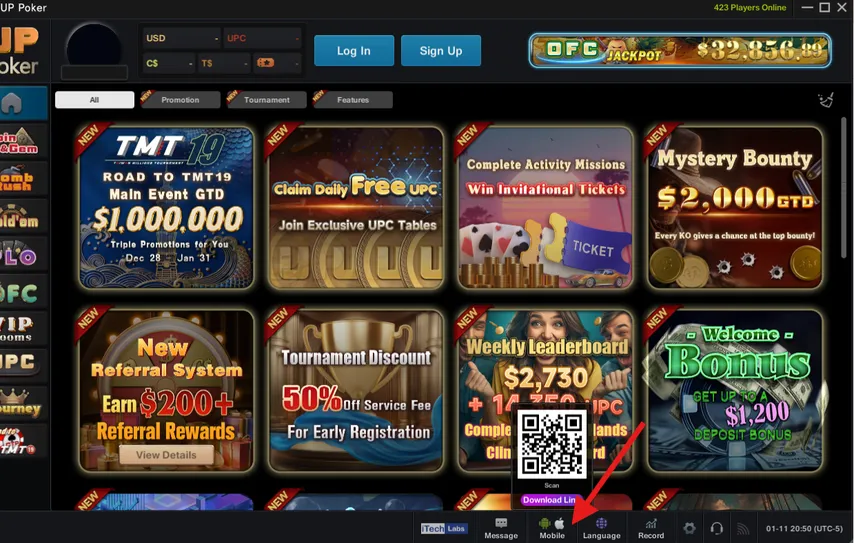
The UP Poker iOS app supports iOS 13 or later and is downloaded through an official installation link provided on the website. It is compatible with both iPhone and iPad devices.
Minimum requirements for iOS:
- iOS 13 or higher
- At least 3 GB RAM
- Minimum 1 GB of free storage
Once installed, the app automatically adjusts its language based on your device’s system settings. If a selected language is unavailable, the app defaults to English.
Troubleshooting & Common Download Issues
While the UPPoker app and client are generally stable, some users may encounter technical issues during download, installation, or gameplay. Most of these problems are easy to resolve by adjusting system settings or reinstalling the software.
If the UP Poker app is not responding on mobile, start by closing the application completely. Open your device settings, clear the app’s cache and storage, and relaunch it. If the issue persists, uninstall the app and download the latest version again from the official website. Keeping the app updated is one of the most effective ways to prevent freezes or crashes, as updates often include performance improvements and bug fixes.
On Windows, installation errors are often related to permission restrictions. If the installer fails to launch or stops midway, navigate to your Downloads folder, right-click the installation file, and select Run as Administrator. Antivirus software or browser pop-up blockers may also interfere with the download process, so temporarily allowing the file or disabling pop-up restrictions can help.
Disconnection issues may occur due to unstable local networks, packet loss, or outdated network drivers. Using a wired Ethernet connection instead of Wi-Fi can improve stability, especially during tournaments. Setting your DNS to 8.8.8.8, Google’s public DNS server, can help resolve routing problems and reduce latency caused by local network congestion.
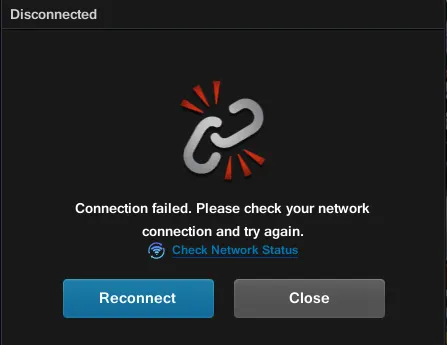
For technical problems that cannot be resolved locally, you can contact UP Poker support at customer@uppoker.com or our support team via Telegram, Discord, or What’s App using the button below. Whatever option you choose, including your device type, operating system, nickname or account ID, and screenshots will help speed up the response.

Conclusion
UP Poker is designed for players who want flexible access to online poker across desktop and mobile devices. Once you complete the download and installation process, the platform allows you to switch freely between the Windows or Mac client and the mobile app on Android or iPhone. As long as you use the official installer, meet the system requirements, and keep the app updated, the setup process is smooth and secure for both new and experienced players.
If you mainly play on mobile, our guide on poker on Android apps and the overview of popular poker applications for iPhone can help you compare mobile options and features. Players exploring different formats after installing the app may want to review MTT poker explained or learn how free poker tournaments with real money work before jumping in. For those focused on game mechanics and fairness, our article on RNG in poker explains how randomness is handled on modern platforms.


