If you’ve come to us because you can’t get to the site’s tables, the PlayNow login itself is rarely the problem. Signing in is the simple bit – it’s what surrounds it that tends to catch people out, from where you’re sitting to which device you’re on. This guide covers how to log in on desktop and mobile, where to get the PlayNow app, what to do when its online poker client won’t load and players in which parts of Canada can use the site at all.
How to Log In to PlayNow Poker from Canada
The first thing worth knowing is that PlayNow runs on a single account across everything it offers. The same PlayNow login that gets you into the poker tables also gets you to the other products available in your province so there’s no separate poker account to set up and nothing extra to remember. In BC and Manitoba that includes the casino, sportsbook, bingo and lottery. If you’ve played on the bigger international networks, you’ll probably find that arrangement familiar.
You can sign in with either the username or email address attached to your account along with your password. Something that tends to trip players up, though, is the nickname that shows up on the tables; this is a separate thing altogether and it’s not used to log in.

Something that’s been added recently to the site is multi-factor authentication. PlayNow will activate it for your account automatically based on how you’re logging in and it’s only one extra step when it's triggered. A six digit code is sent to the email address you’ve registered and the device that you use to enter that code from will then be recognised as a trusted device. After that, you shouldn’t be prompted again — unless you’re on a different device or something about the login looks unusual.
Other Online Poker Options for Canadian Players
PlayNow isn’t available to every Canadian player, and its province-specific access rules mean it won’t be the right option for everyone. If you can’t use PlayNow where you live, or simply want to compare it with other poker rooms, these are some of the alternatives available through GipsyTeam.
- GGPoker is a particularly relevant option for Ontario players, where it operates in the province’s regulated online poker market. It also has dedicated desktop and mobile software.
- CoinPoker is the crypto-focused option, making it more suitable for players who prefer deposits and withdrawals in digital currencies.
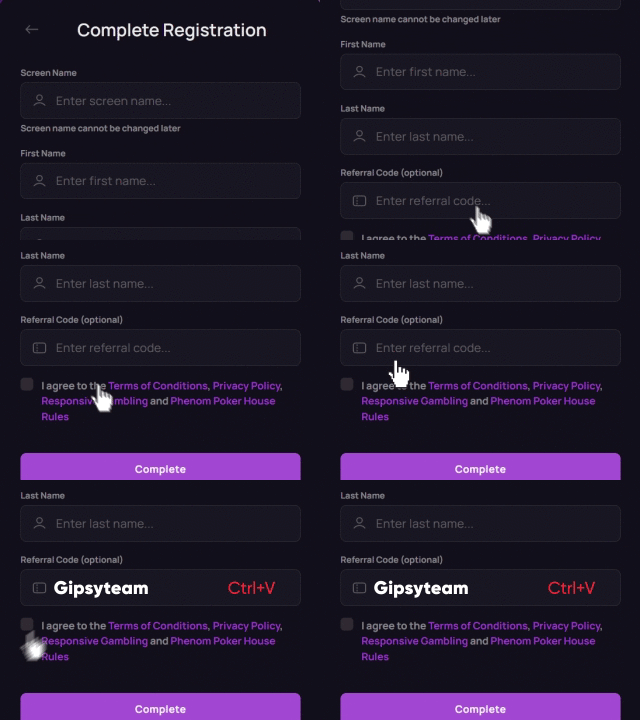
- Phenom Poker offers several ways to play: directly in a desktop or mobile browser, through a PWA on iOS or Android, or via native Windows and macOS clients.
You’ll find the current offers and registration details for each room in the comparison above. Availability still depends on your location, so check the room’s eligibility rules before registering.




If you’re sticking with PlayNow, the next step is getting the poker software onto your device.
Downloading the PlayNow App on iOS and Android
On desktop, getting the software is your usual routine — you hit the download button, save and/or run the file then launch it from your desktop. If a security warning pops up when you run the installer, that’s to be expected so don’t fret.
Downloading on Apple Devices
Downloading PlayNow Poker on an iPhone or iPad is straightforward because the app is available directly through the Apple App Store.
- Open the App Store on your iPhone or iPad.
- Search for “PlayNow Poker”. Make sure you choose the official PlayNow poker app.
- Tap GET and wait for the app to download and install.
- Open the app once the installation is complete.
- Sign in with your existing PlayNow details. You can use the same username or email address and password that you use on desktop.
- Complete MFA if prompted. PlayNow may send a six-digit verification code to your registered email address when you log in from a new device.
- Allow location access when requested, as PlayNow needs to verify that you are physically located in an eligible province before real-money play is available.
There’s no need to create a separate mobile account. Once you’re signed in and your location has been verified, you can open the poker section and start using the same account you already have on PlayNow.

Downloading on Android Devices
PlayNow Poker isn’t distributed through Google Play, so Android users need to download the app directly from the official PlayNow website.
- Open the PlayNow Poker Android download page on your phone or tablet.
- Choose the right version for your device — PlayNow provides separate downloads for smartphones and tablets.
- Download the installation file from the PlayNow website.
- Allow installation if Android blocks it. Depending on your device settings, you may need to permit installations from your browser or from unknown sources before continuing.
- Install the app once the download is complete.
- Launch PlayNow Poker by tapping the app icon.
- Complete any required verification, including location permissions and MFA if PlayNow requests it.
- Open the lobby and choose a game using the available tabs and filters.
Because the Android app comes from outside Google Play, it’s particularly important to download it only from the official PlayNow website rather than from a third-party APK mirror.

On the app, you’ll have just as great of an online poker experience as if you were playing on desktop. It’s got cash games, Sit & Gos, the Challenge tournaments and Slot & Go games. Plus, cash game tables start at CAD $0.02/$0.04 if you’re easing yourself into playing real-money poker. There are also free “Poker School” practice tables for players who want to practise without using real money.
What to Do if Your PlayNow Login Isn’t Working in Canada
A PlayNow not working message is annoying but don’t worry — it’s rarely anything serious. Most causes are actually quick to rule out. In this table, these are the issues you’re likely to encounter.
| What you're seeing | What's usually behind it |
|---|---|
| Location error | A VPN is running, or location sharing is switched off |
| Login blocked | Incorrect details or a security restriction on the account |
| Forgotten password | Reset it with your username or email plus your secret questions |
| Forgotten username | Use the Recover Username function |
| Site won't load properly | Cached data, disabled cookies or an unsupported browser |
| No access at all | An active self-exclusion period may still be running |
Location is the one to check first. PlayNow verifies where you are when you sign in and again periodically while you play so make sure to switch off any VPNs you might have on. Also make sure location permissions are enabled for your browser or the PlayNow app.
If the message you get is that your login is blocked, the on-screen message should explain why and what to do next. What we’ve found is that clearing your cache and cookies resolves a surprising number of issues too – but be aware you may need to pass an MFA check again afterwards.

And if you're still on Internet Explorer 11, that's your answer — PlayNow dropped support for it back in 2020, so move to a current version of Edge, Firefox or Chrome.
PlayNow Canada Access Restrictions for Canadian Players
PlayNow operates in British Columbia, Manitoba and Saskatchewan, but being a Canadian resident isn’t enough on its own. You must meet the eligibility requirements of the province where your account is registered, including residency and physical-location requirements. The minimum age is 19 in British Columbia and Saskatchewan and 18 in Manitoba.
This means that if you’ve been hunting for a PlayNow Ontario or PlayNow Alberta login, there simply isn’t one — PlayNow Canada just doesn’t reach that far. Ontario has had its own regulated market since 2022 and Alberta’s opened in 2026, and neither of them include PlayNow.
Another provincial limitation has to do with the player pools. Traditionally, pools have been shared between players in BC and Manitoba as well as with players on Quebec’s provincial platform. PlayNow operates in British Columbia, Manitoba and Saskatchewan, although its current poker offering is clearly documented for British Columbia and Manitoba. Saskatchewan’s PlayNow pages currently provide inconsistent information about poker availability.
Travelling is the final catch. Since your location is checked at sign in and sometimes afterwards, you'll see your access to real money poker drop once you’re out of the province. So, this is something worth considering if you’re in the middle of a series.
Conclusion
PlayNow Poker is fairly straightforward once your account, device and location all line up. Most access problems come down to location verification, login security or using the wrong version of the software rather than the poker client itself. If you still can’t get in after checking the steps above, it’s worth contacting PlayNow support before trying to register again or reinstalling everything from scratch.
And if you need help choosing a poker room that’s available where you live, the GipsyTeam support team is available 24/7.